Track Recording
The GPS Track feature records the device's movement using GPS. After GPS Track is enabled, the device automatically records track points as it moves. The recorded track can then be viewed on a computer using the DevRemote tool.
Access GPS
First, navigate to the GPS function on the device.
Enable the GPS Track feature in GPS .
View Track
-
Connect the device to a computer via a USB cable.
-
Open DevRemote.
-
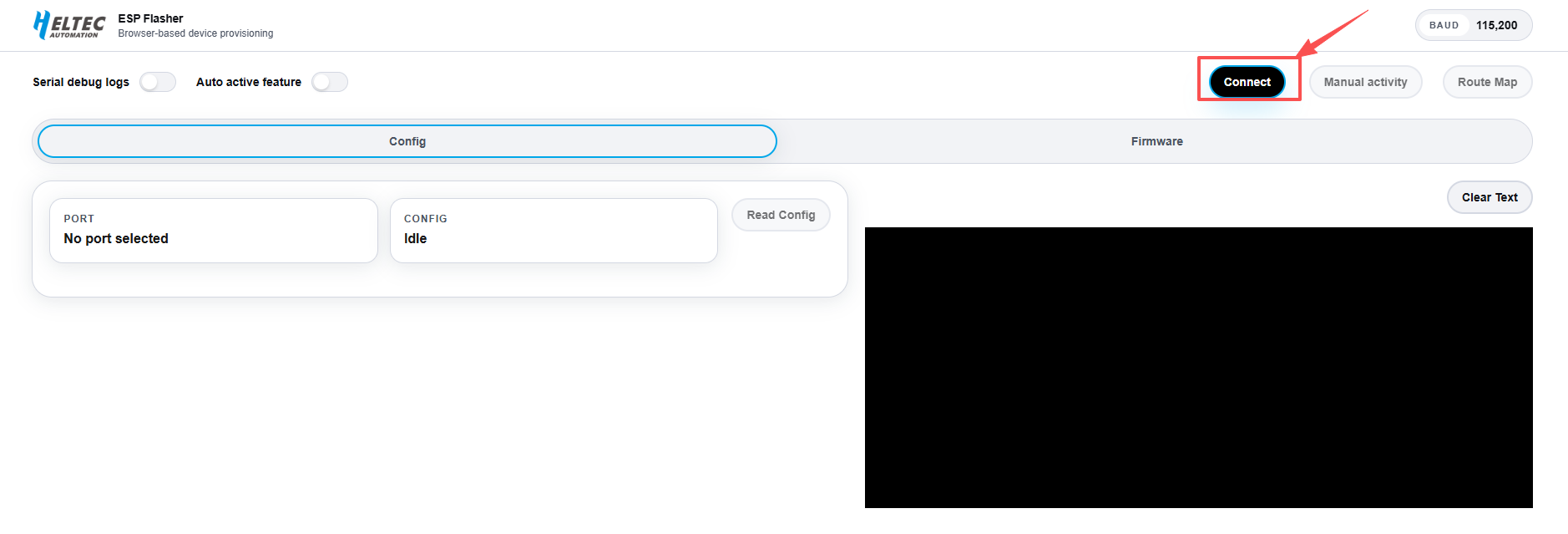
Click Connect.
-
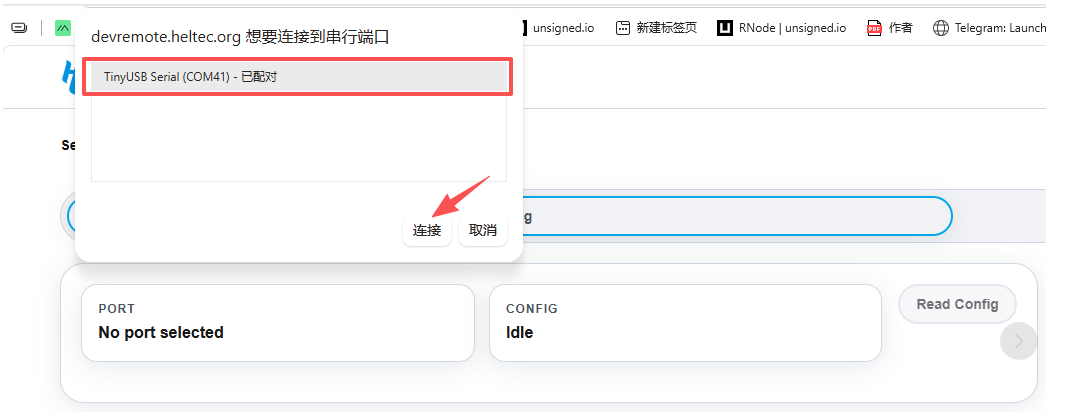
Select the serial port associated with the connected device.
-
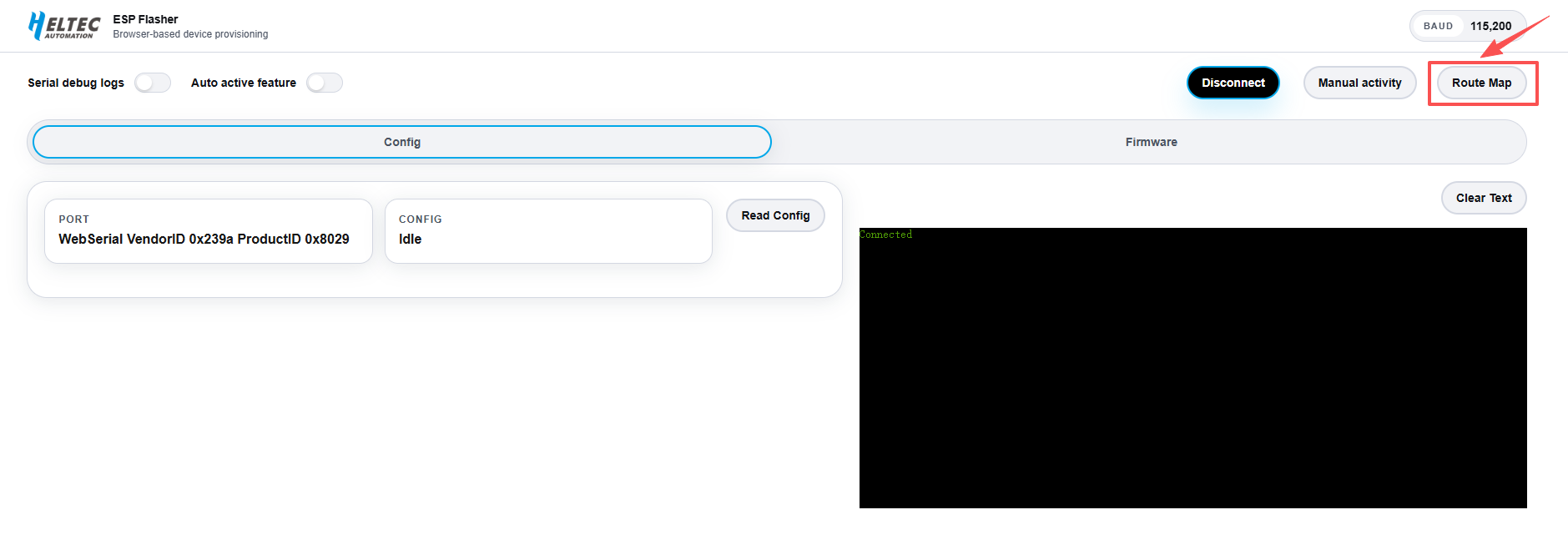
Click Route Map. The tool automatically detects the number of track points recorded on the device.
-
If the data is detected successfully, the recorded route is displayed on the map.
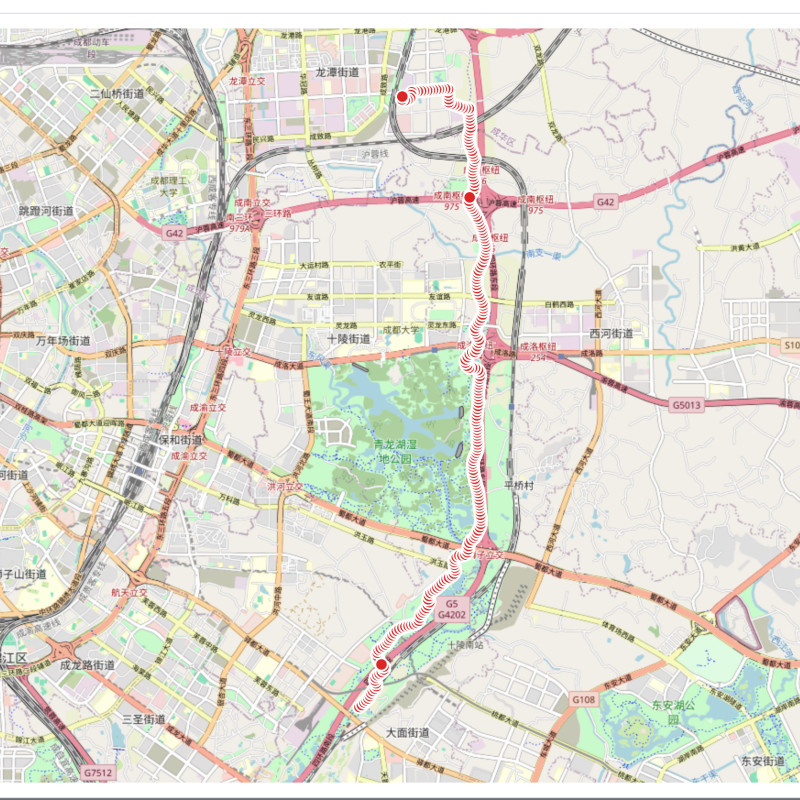
Current logging rule: one point is recorded approximately every 50 meters of movement, Up to 600 track points can be stored.