Connect to TTN/TTS
Summary
This article aims to describe how to connect HT-M02_V2 Gateway to a LoRa server, such as TTN/TTS, ChirpStack, which facilitates secondary development and rapid deployment of LoRa devices.
Before all operation, make sure the HT-M02 is runing well . If not, please refer to this HT-M02_V2 Quick Start document.
- UDP Packet Forwarder
- Basic Station
Step1 Register a LoRa Gateway in TTN/TTS
1.Go to the TTN Console, create an account, and log in.
2.After logging in, add your gateway in the TTN Console.
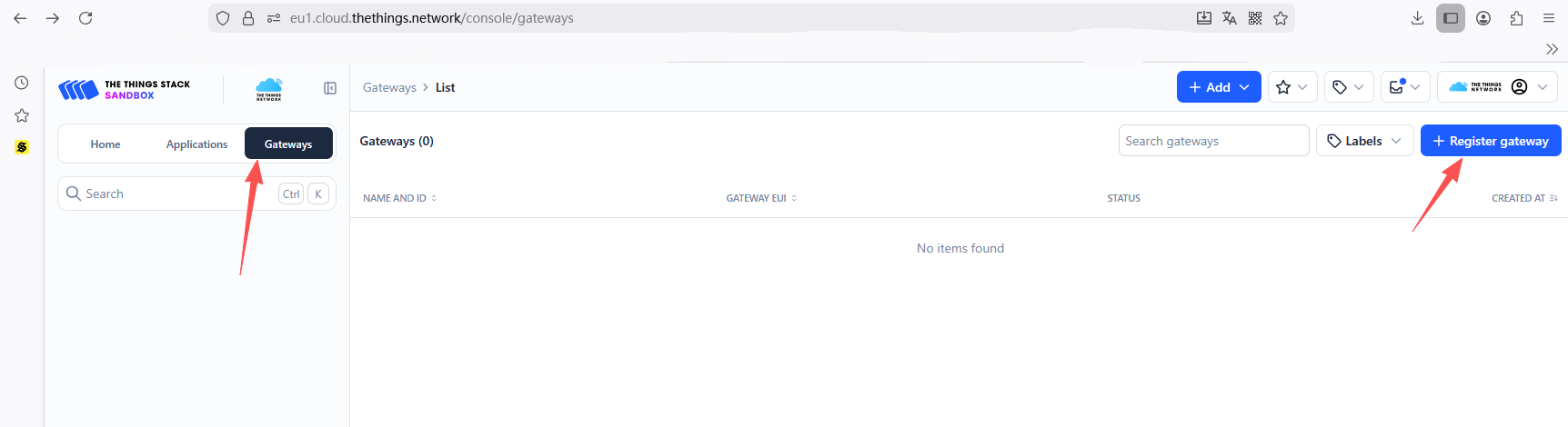
3.In the Gateway EUI field, enter the value corresponding to the Gateway ID shown on the 7603 gateway configuration page, then click Confirm.
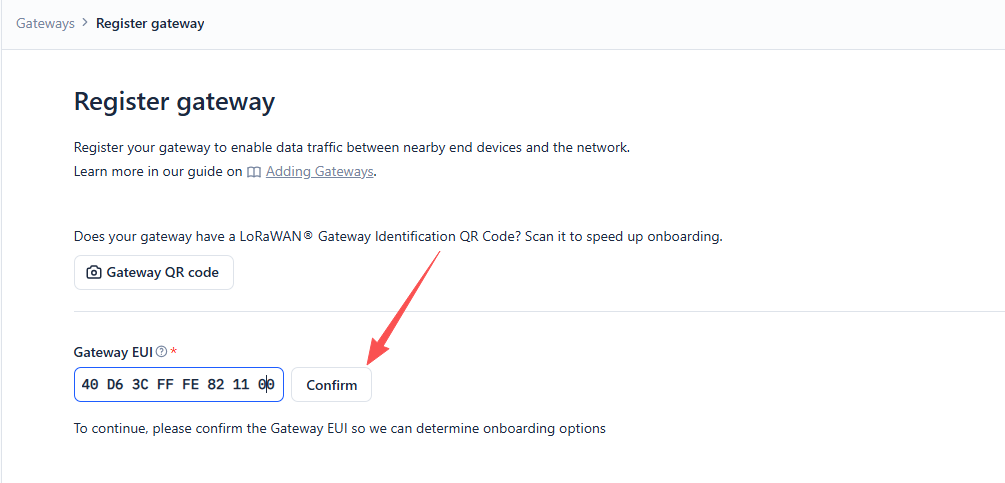
- Gateway EUI -- The unique ID of HT-M7603 gateway, view from configuration page.
- Complete the following configuration
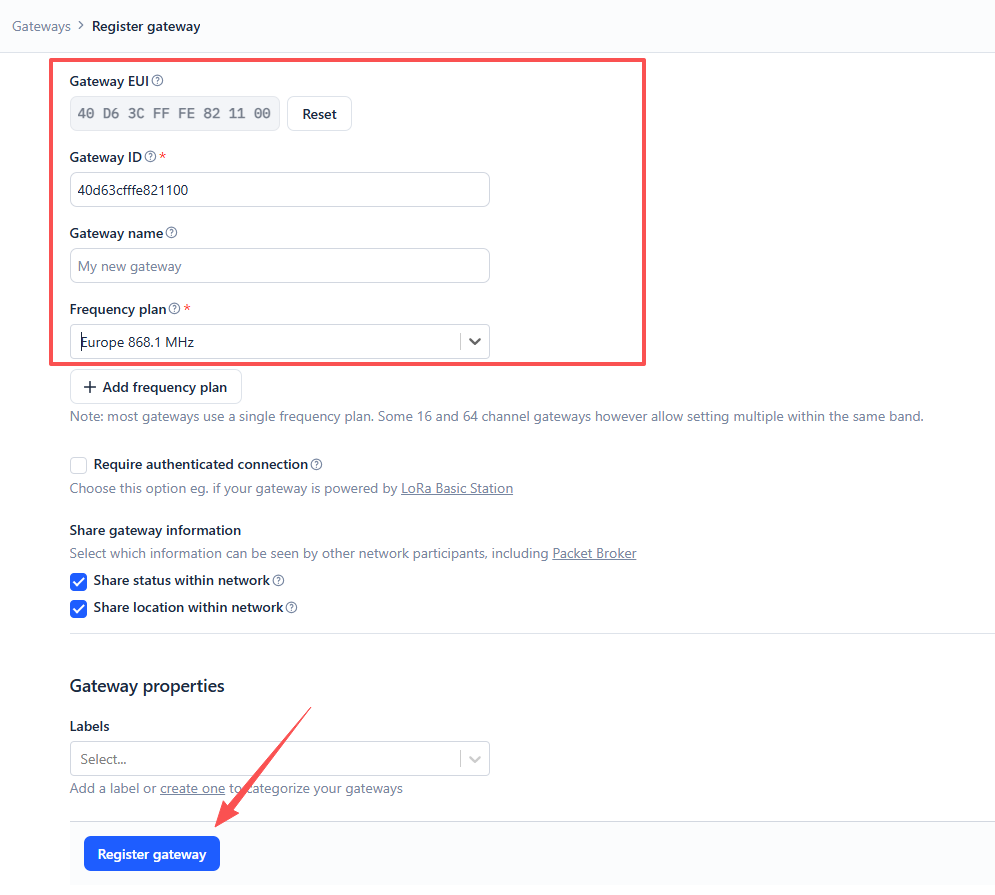
- Gateway ID: Enter the corresponding Gateway EUI (letters must be in lowercase)
- Gateway Name: Customizable, optional
- Frequency Plan: Matches the LoRa band configuration in HT-M7603
After completing the configuration, click Register Gateway.
Step2 Configure the Gateway
1.Connect the gateway to the network. Please refer to this operation document for detailed steps. Once completed, configure the gateway in the “HT-M02 Config” interface according to the interface shown below.
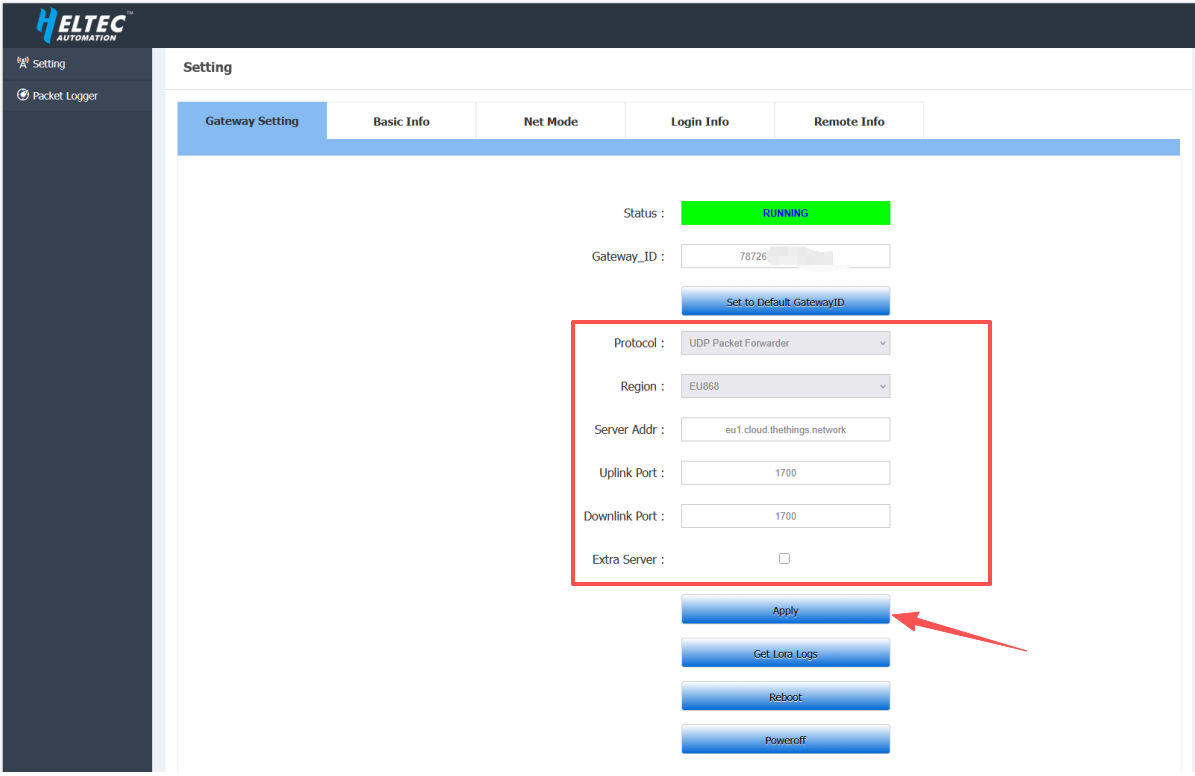
- Protocal:
UDP Packet Forwarder - Region: Select the frequency plan that matches your device
- Server Addr:
eu1.cloud.thethings.network - Port UP: 1700
- Port Down: 1700
After completing the configuration, click Apply.
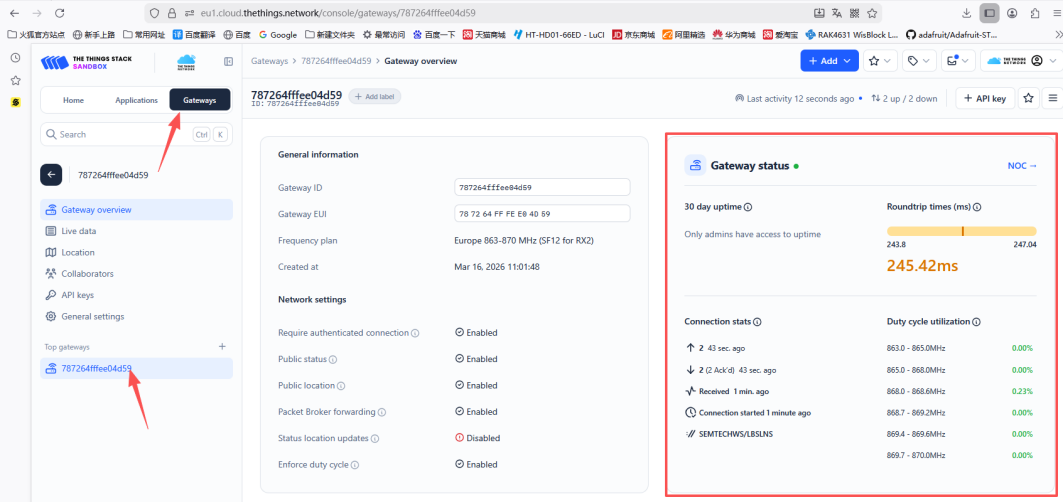
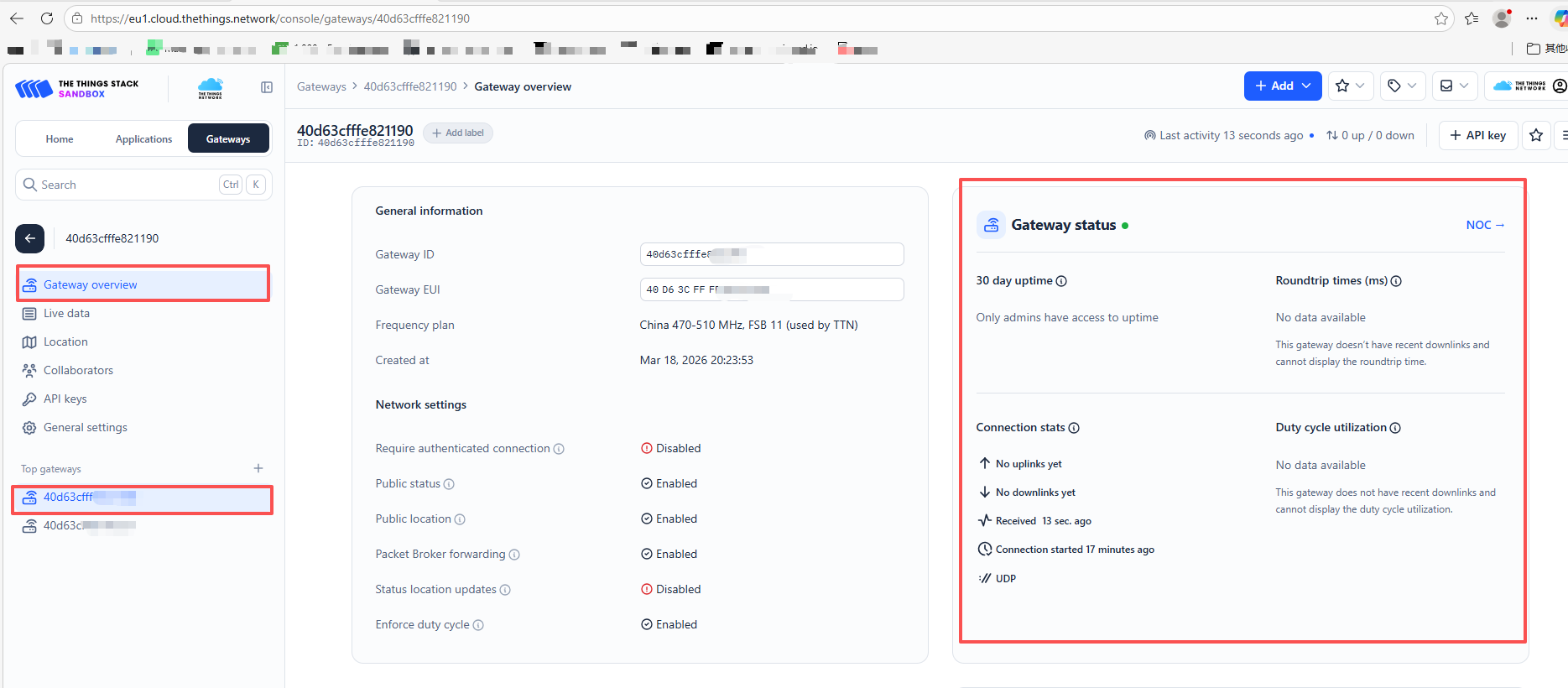
2.After completing the configuration, the gateway will automatically connect to the server. If everything is set up correctly, the gateway will appear as connected on the TTN server.
Step1 Register a LoRa gateway in TTN/TTS
1.Go to the TTN Console, create an account, and log in.
2.After logging in, add your gateway in the TTN Console.
3.In the Gateway EUI field, enter the value corresponding to the Gateway ID shown on the 7603 gateway configuration page, then click Confirm.
- Gateway EUI -- The unique ID of HT-M7603 gateway, view from configuration page.
- Complete the following configuration
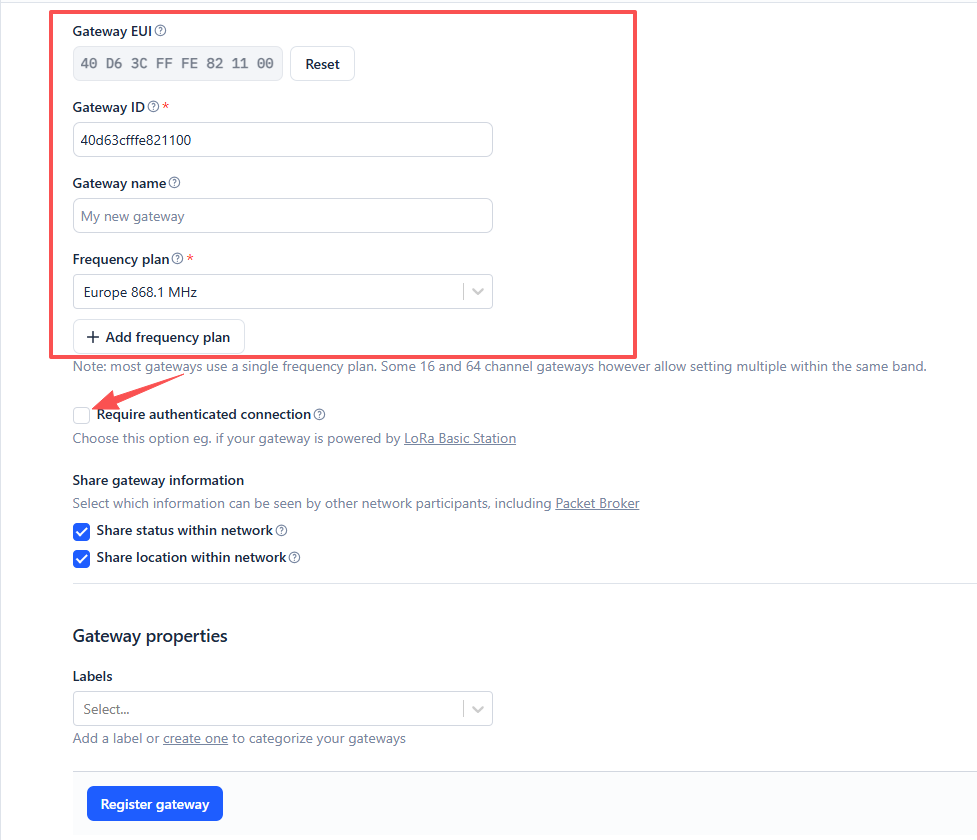
- Gateway ID: Enter the corresponding Gateway EUI (letters must be in lowercase)
- Gateway Name: Customizable, optional
- Frequency Plan: Matches the LoRa band configuration in HT-M7603
Make sure to check Require authenticated Connection.
5.Check Generate API Key for CUPS and Generate API Key for LNS, then click Register Gateway after completing the configuration.
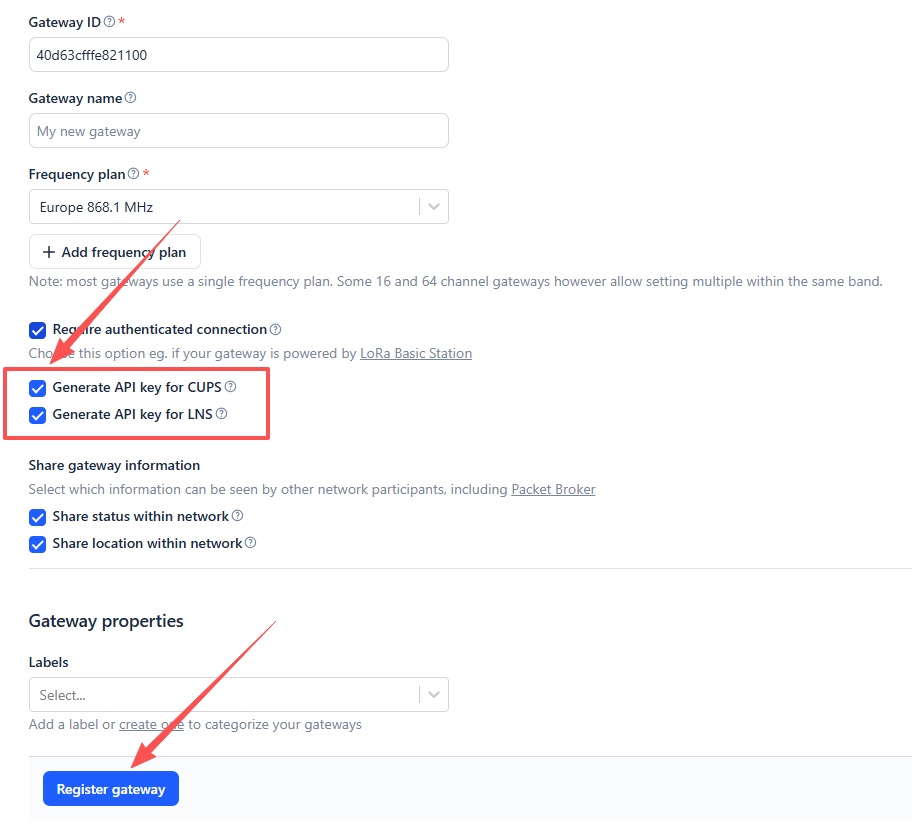
6.Then download the gateway API keys by clicking Download LNS Key and Download CUPS Key. Finally, click I have downloaded these keys.
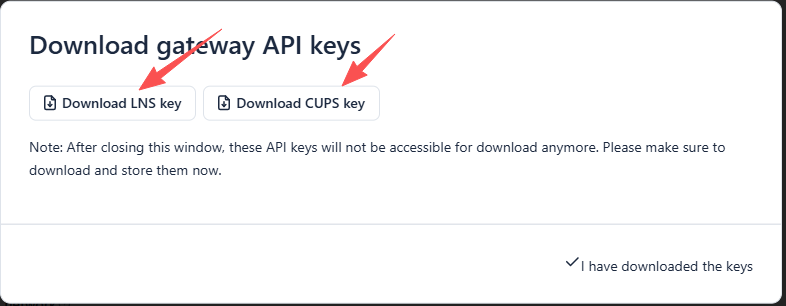
-
Download LNS Key: Downloads the
tc.keyfile for connecting the gateway to the server in Basic Station LNS mode. -
Download CUPS Key: Downloads the
cups.keyfile for connecting the gateway to the server in Basic Station CUPS mode.
Step2 Download the TTN certificate
the following example uses the Firefox browser
1.Click the security lock icon located to the left of eu1.cloud.thethings.network in the browser address bar.
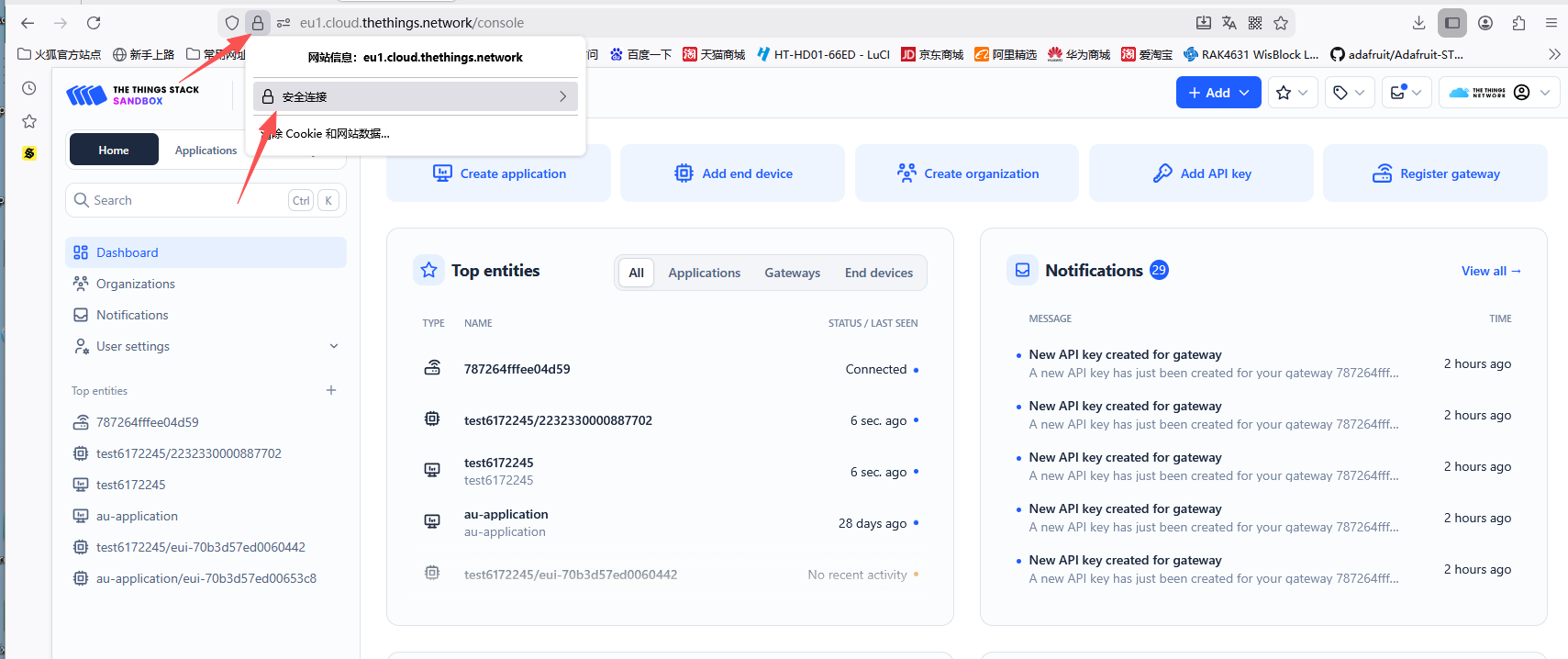
2.Navigate to More Information → Security → View Certificate.
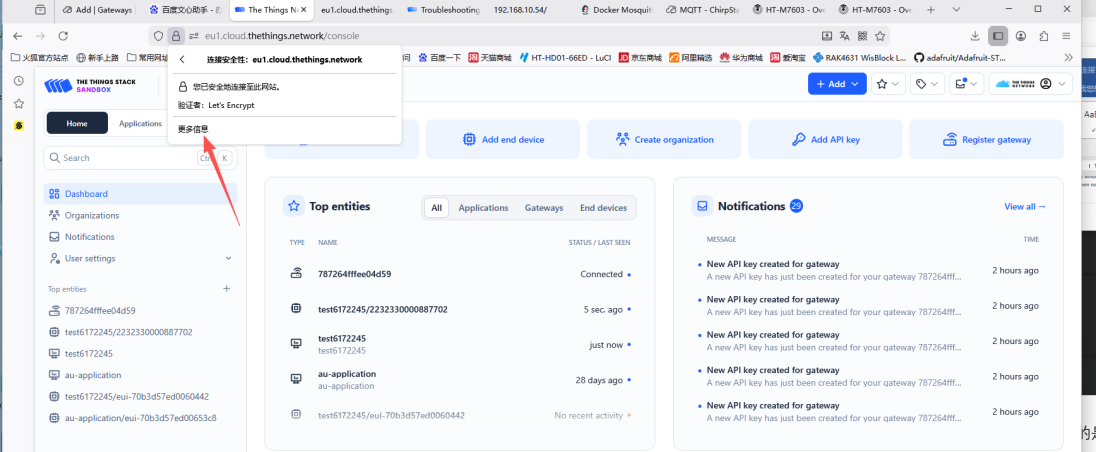
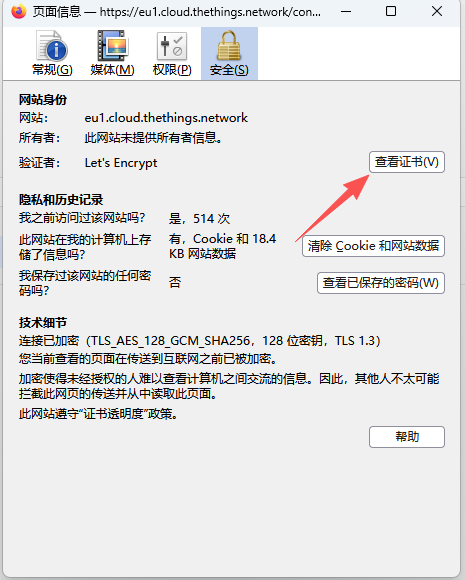
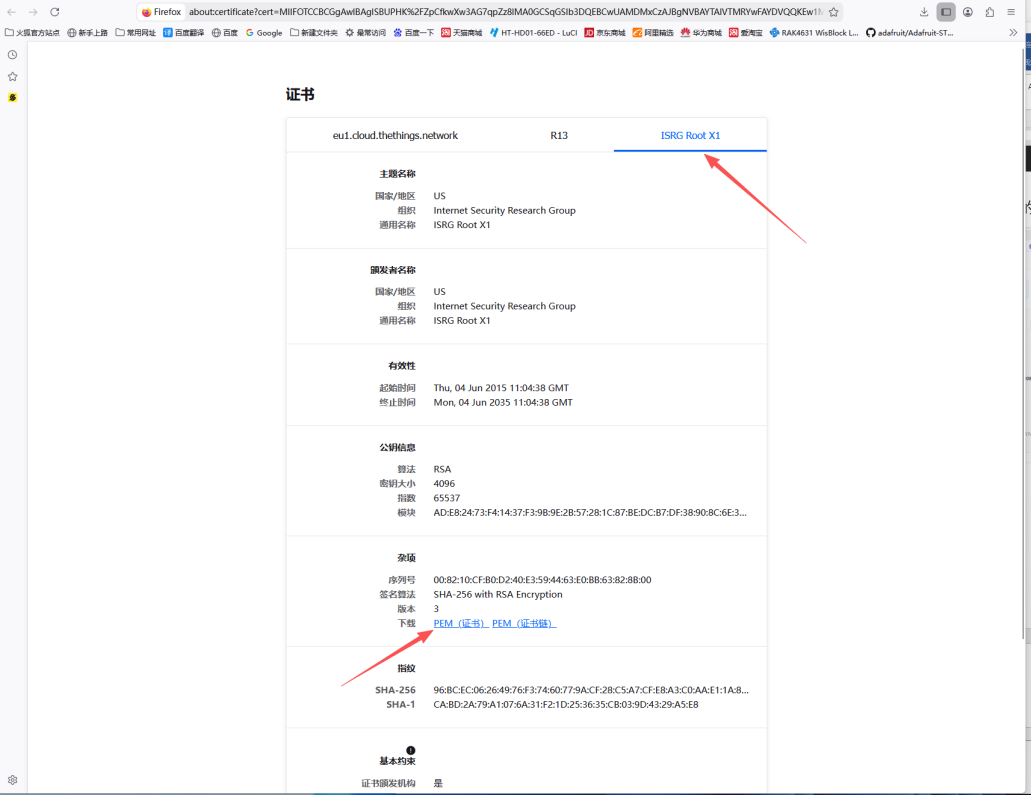
3.Click ISRG ROOT X1, then download the PEM certificate. This will download a file named eu1-cloud-thethings-network.pem.
Step3 Configure the Gateway
1.Connect the gateway to the network. Please refer to this operation document for detailed steps. Once completed, configure the gateway in the “HT-M02 Config” interface according to the interface shown below.
- LNS Mode
- CUPS Mode
Connecting BasicStation to TTN in LNS Mode
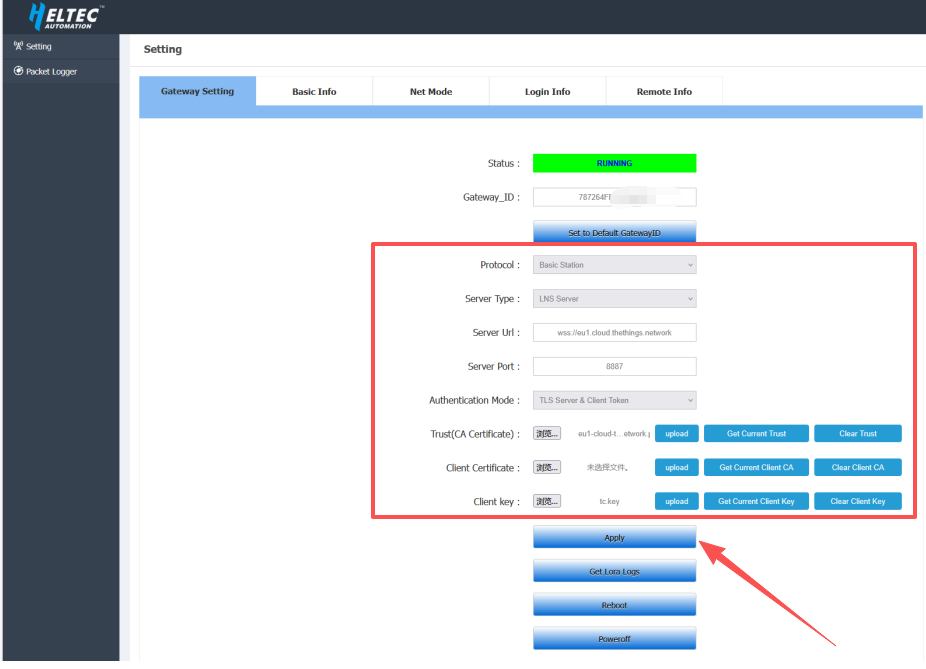
- Protocal: Basic Station
- Server Type: LNS Server
- Server Url:
wss://eu1.cloud.thethings.network - Server Port:
8887 - Authentication Mode: TLS Server & Client Token
- Trust(CA Certificate): Select the downloaded TTN certificate file
.pem format - Client Certificate: Leave this field empty
- Client key: Select the downloaded LNS Key file
tc.key
After completing the configuration, click Apply.
Connecting BasicStation to TTN in CUPS Mode
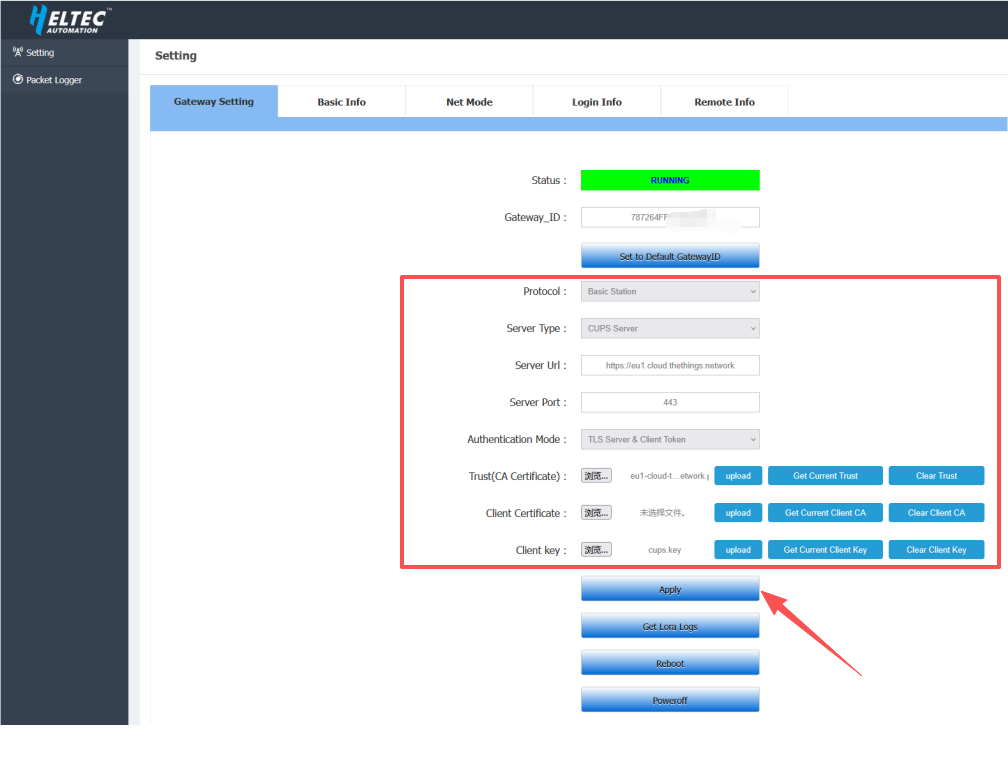
- Protocal: Basic Station
- Server Type: CUPS Server
- Server Url:
https://eu1.cloud.thethings.network - Server Port:
443 - Authentication Mode: TLS Server & Client Token
- Trust(CA Certificate): Select the downloaded TTN certificate file
.pem format - Client Certificate: Leave this field empty
- Client key: Select the downloaded CUPS Key file
cups.key
After completing the configuration, click Apply.
2.After completing the configuration, the gateway will automatically connect to the server. If everything is set up correctly, the gateway will appear as connected on the TTN server.