Quick Start
Hardware
Hardware Preparation
- HT-HC01P Raspberry Pi HAT
- WiFi HaLow Module Mini PCIe Interface
- Raspberry Pi 1/2/3/4
- Micro SD card
- SD card reader
- Computer running Windows, Linux, or macOS
Hardware Installation
Follow the steps shown below to install and connect the device.
| 1 | 2 | 3 |
|---|---|---|
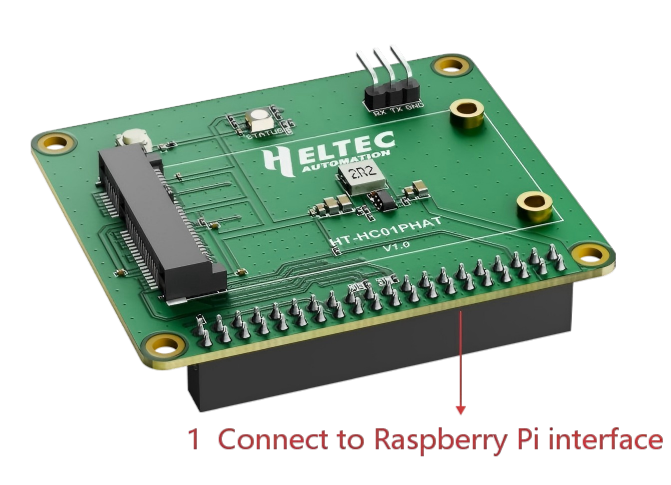 | 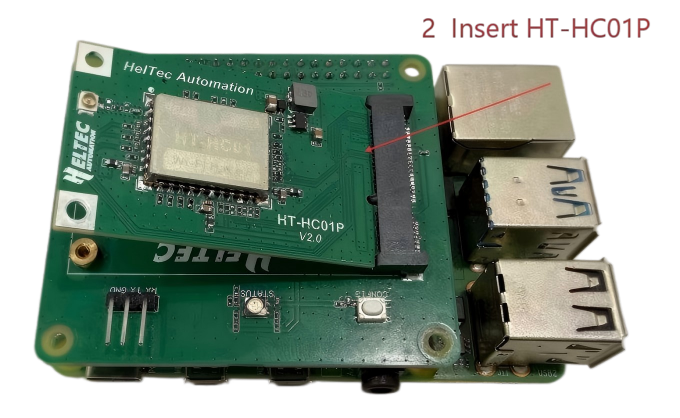 | 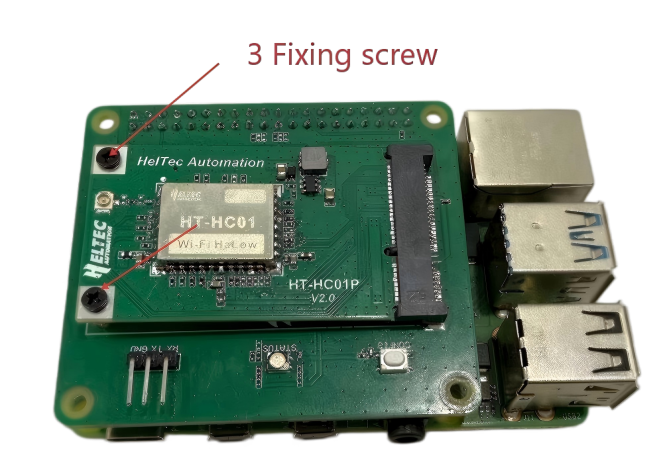 |
Power
HC01P is powered by Raspberry PI, so it is sufficient to connect the Raspberry PI power supply.
Install firmware
- Download the HC01P_V2_Firmware /HC01P_Firmware and Raspberry Pi Imager.
- Insert the SD card into the card reader and connect it to your computer.
- Install and run the Raspberry Pi Imager tool.
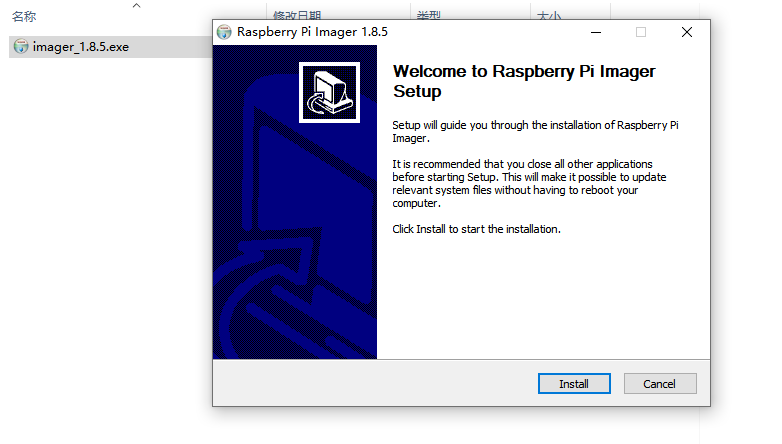
- Select the appropriate Raspberry Pi model. Select
Use custom. Then choose the HC01P_V2_Firmware you just downloaded.
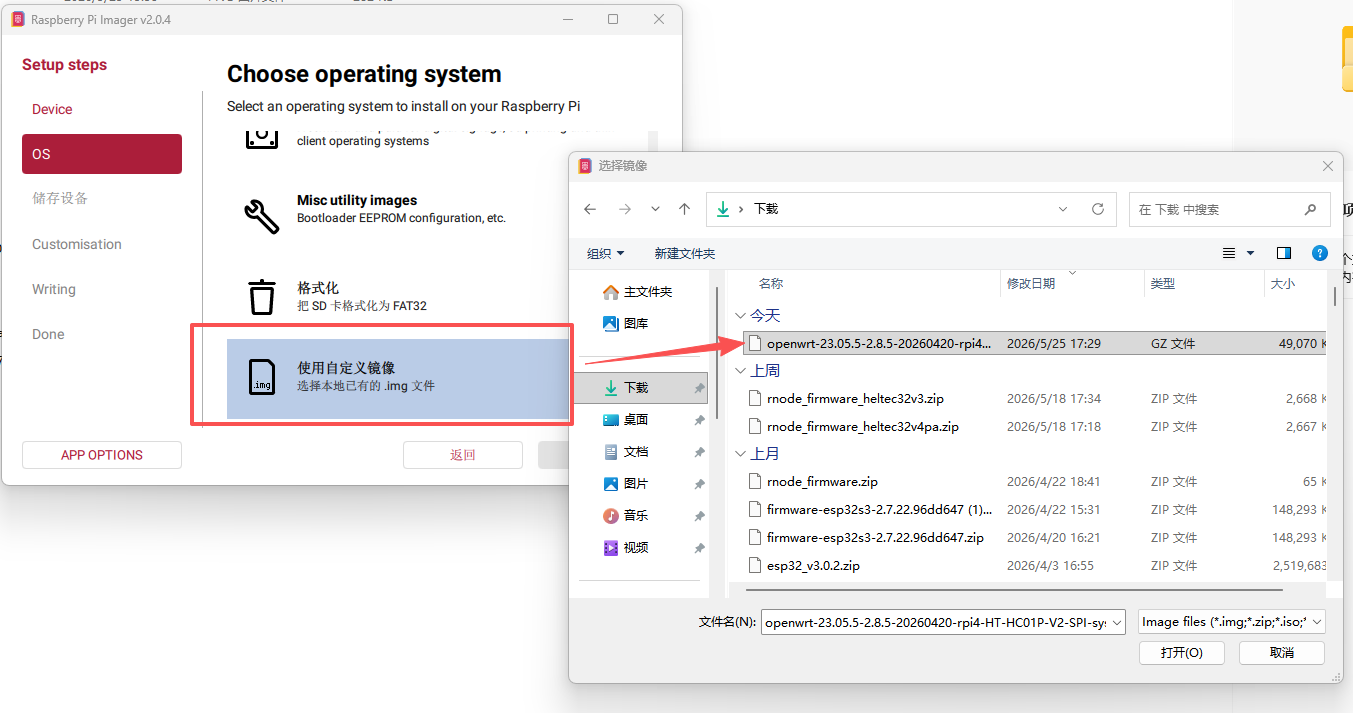
- Click
NEXTand complete the firmware installation. - Remove the SD card from the card reader and insert it into the Raspberry Pi.
Setup and Use
-
Powering on the device, the red indicator light should turn on, indicating that the device is starting up (takes a few dozen seconds).
-
Connect your Raspberry PI to your computer with an Internet cable.
-
Open the web browser on your computer and go to
10.42.0.1.
- Default username: root
- Default password: heltec.org
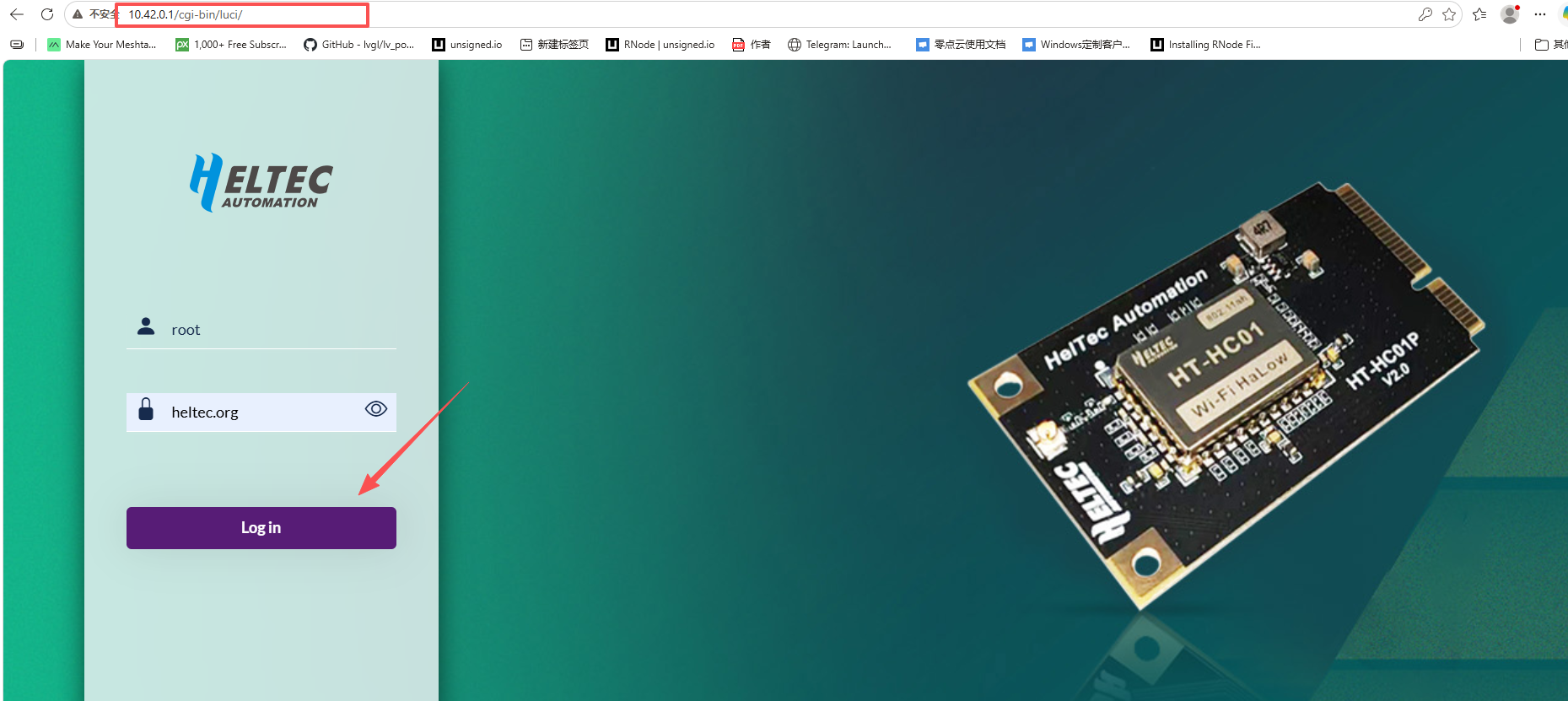
- Select the mode you want to run and configure it accordingly.