How to Gateway Register on Snapemu
The server address for Snapemu is lora.snapemu.com
- HT-M02
- HT-M01S
- HT-M2802
- HT-M7603
Heltec HT-M02_v2 Connect to Snapemu
Firstly, users can quickly configure the gateway according to this document.
Register a LoRa gateway in Snapemu
User log in to Snapemu by using their Heltec website account.

After the user successfully logs in, this interface will be displayed. Click to +.
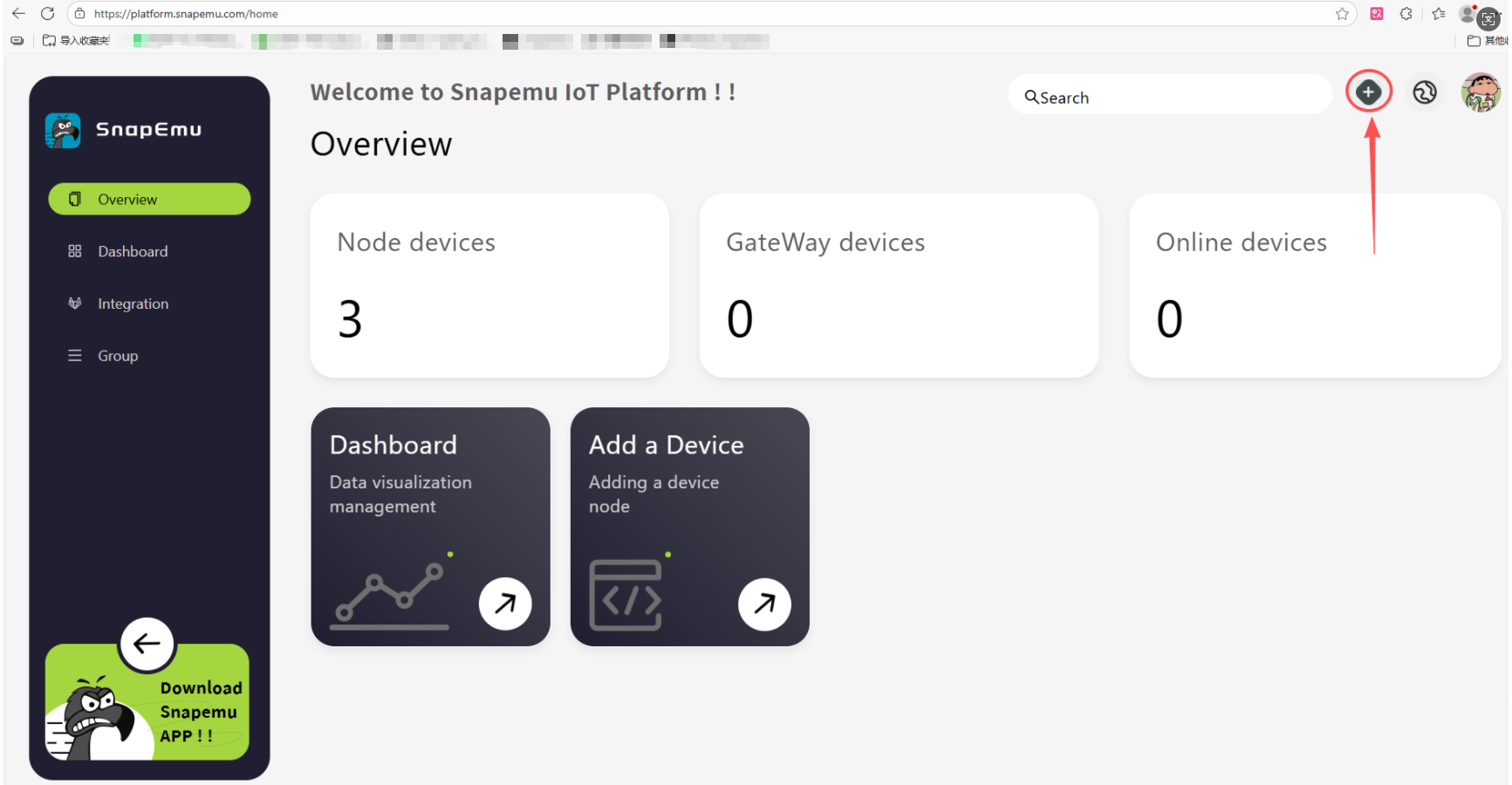
Select device type and fill in configuration information on this interface.
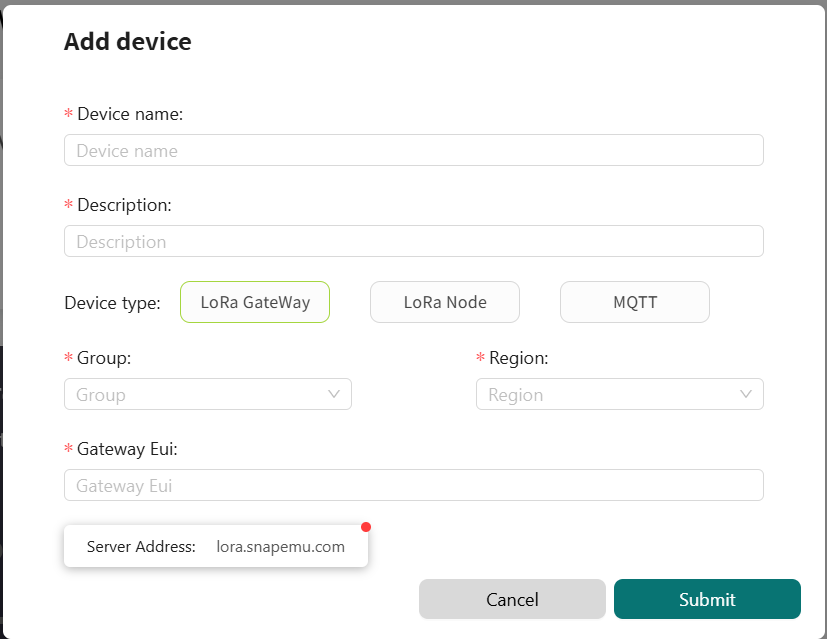
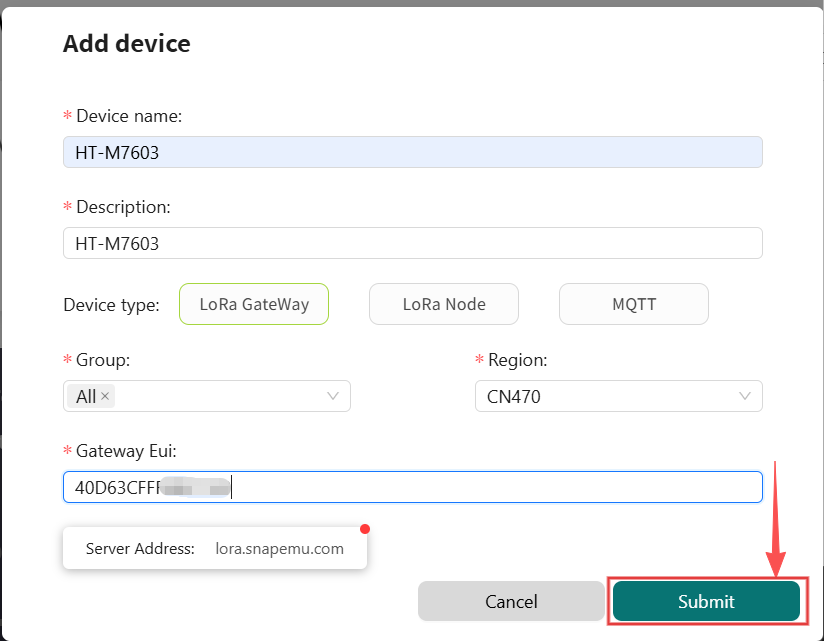
device nameanddescriptioncan be filled in freely, and they will become the name and remark of the device displayed on the platform.Groupdenotes the grouping of the device on SnapEmu.device typeThis device is a gateway, so choose "LoRaGateway".RegionMatch the frequency band of the gateway.GatewayEUIGateway ID, through device configuration page or scan the device QR code to obtain.
After filling in the information, click Submit and refresh the page to see the device.
After successful device registration, the device status will display online.

Then click here to select the corresponding product image.
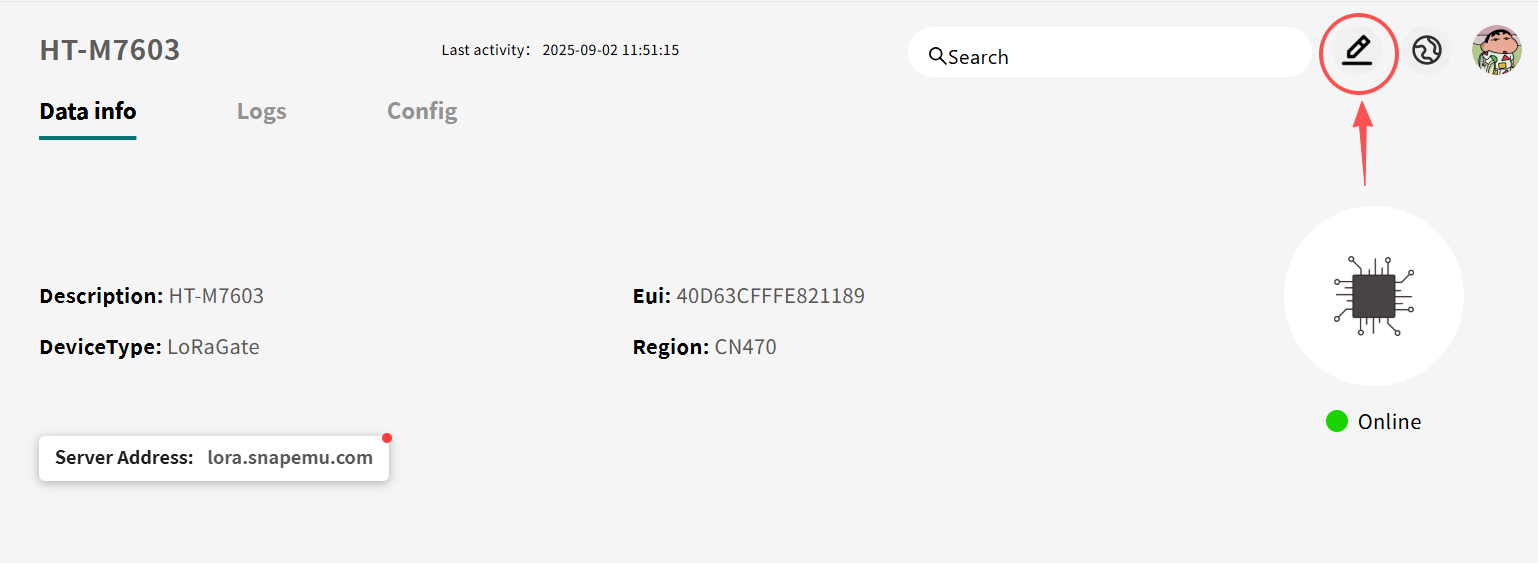
If everything goes smoothly, it will be as shown in the picture.
Heltec HT-M01s_v2 Connect to Snapemu
Firstly, users can quickly configure the gateway according to this document.
Register a LoRa gateway in Snapemu
User log in to Snapemu by using their Heltec website account.
After the user successfully logs in, this interface will be displayed. Click to +.
Select device type and fill in configuration information on this interface.
device nameanddescriptioncan be filled in freely, and they will become the name and remark of the device displayed on the platform.Groupdenotes the grouping of the device on SnapEmu.device typeThis device is a gateway, so choose "LoRaGateway".RegionMatch the frequency band of the gateway.GatewayEUIGateway ID, through device configuration page or scan the device QR code to obtain.
After filling in the information, click Submit and refresh the page to see the device.
After successful device registration, the device status will display online.
Then click here to select the corresponding product image.
If everything goes smoothly, it will be as shown in the picture.
Heltec HT-M2802 Connect to Snapemu
Firstly, users can quickly configure the gateway according to this document.
Register a LoRa gateway in Snapemu
User log in to Snapemu by using their Heltec website account.
After the user successfully logs in, this interface will be displayed. Click to +.
Select device type and fill in configuration information on this interface.
device nameanddescriptioncan be filled in freely, and they will become the name and remark of the device displayed on the platform.Groupdenotes the grouping of the device on SnapEmu.device typeThis device is a gateway, so choose "LoRaGateway".RegionMatch the frequency band of the gateway.GatewayEUIGateway ID, through device configuration page or scan the device QR code to obtain.
After filling in the information, click Submit and refresh the page to see the device.
After successful device registration, the device status will display online.
Then click here to select the corresponding product image.
If everything goes smoothly, it will be as shown in the picture.
Heltec HT-M7603 Connect to Snapemu
Firstly, users can quickly configure the gateway according to this document.
Register a LoRa gateway in Snapemu
User log in to Snapemu by using their Heltec website account.
After the user successfully logs in, this interface will be displayed. Click to +.
Select device type and fill in configuration information on this interface.
device nameanddescriptioncan be filled in freely, and they will become the name and remark of the device displayed on the platform.Groupdenotes the grouping of the device on SnapEmu.device typeThis device is a gateway, so choose "LoRaGateway".RegionMatch the frequency band of the gateway.GatewayEUIGateway ID, through device configuration page or scan the device QR code to obtain.
After filling in the information, click Submit and refresh the page to see the device.
After successful device registration, the device status will display online.
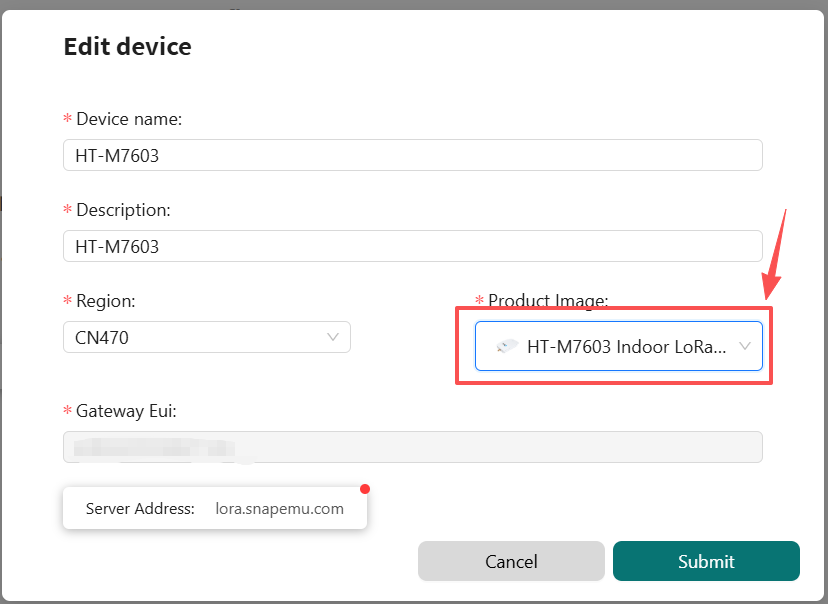
Then click here to select the corresponding product image.
If everything goes smoothly, it will be as shown in the picture.