Quick Start
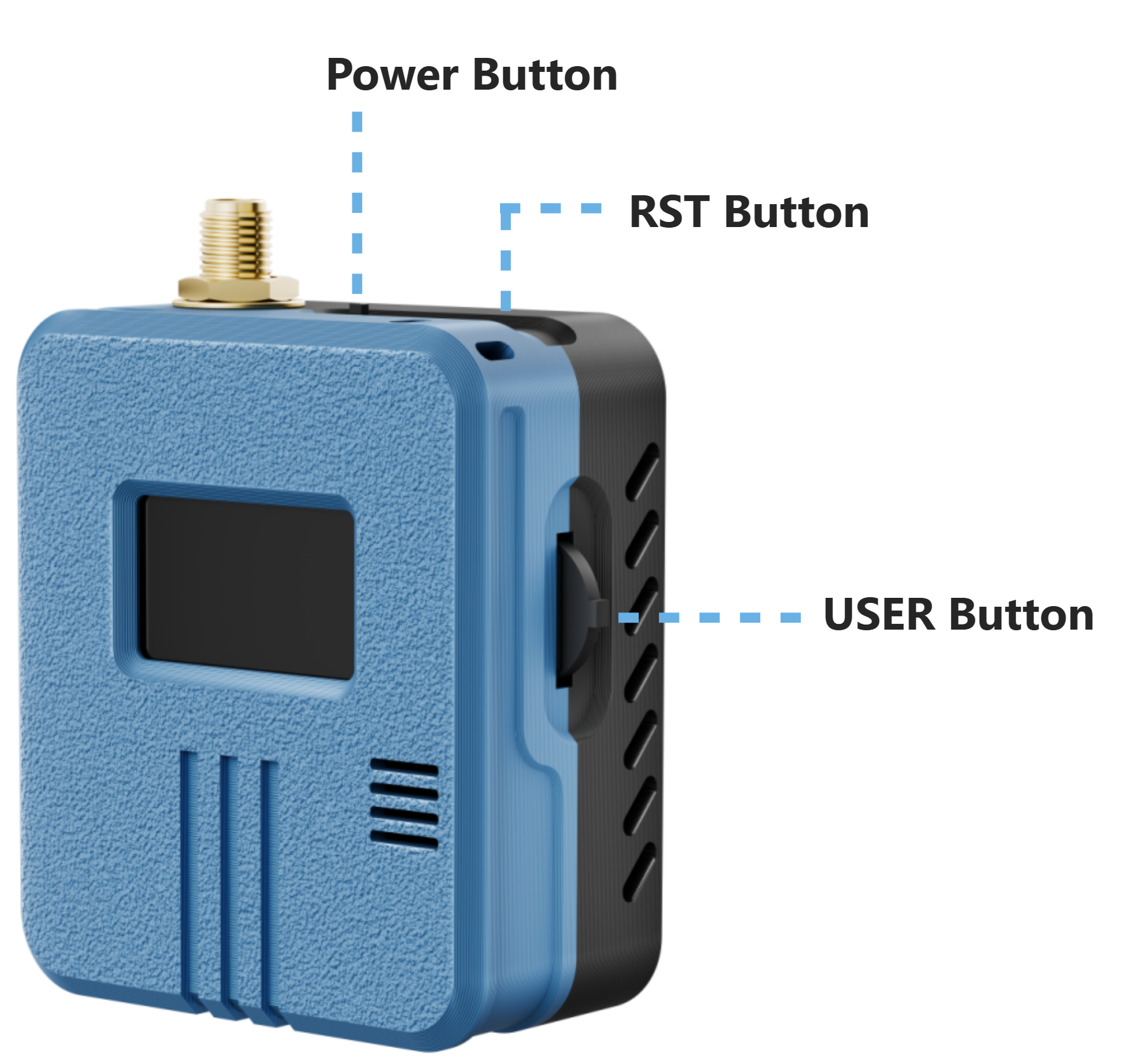
Power On
Slide the Power switch to the left to Power On the device.
Button Operations
| Button | Operation | Function |
|---|---|---|
| Power | Switch to the left | Power on the device |
| Power | Switch to the right | Power off the device |
| RST | Press | Reset the device |
| USER (Rotary Switch) | Rotate up | Move to the previous option in the current menu |
| USER (Rotary Switch) | Rotate down | Move to the next option in the current menu |
| USER (Rotary Switch) | Press | Wake the screen or enter/select the current item, depending on the current interface |
| USER (Rotary Switch) | Press and hold | Confirm the selected option or enter the settings for the current item, depending on the current interface |
note
The USER rotary switch is used to navigate and select options after entering a specific function interface. Its rotation does not affect the Meshtastic Basic UI screen.
tip
Enter Bootloader Mode: Press and hold the USER button, press the RST button once, and then release the USER button to enter Bootloader mode.