Quick Start
Before getting started, refer to this document to complete the development environment setup.
The device supports two operating modes: AP Mode and Client (STA) Mode.
The ESP32 HaLow AP does not provide an embedded DHCP server. Therefore, each associated HaLow STA client must be manually configured with a static IP address from the same subnet as the AP to enable network communication.
Basic HaLow Communication
If you only need to establish a basic HaLow wireless connection between two devices, follow the steps below.
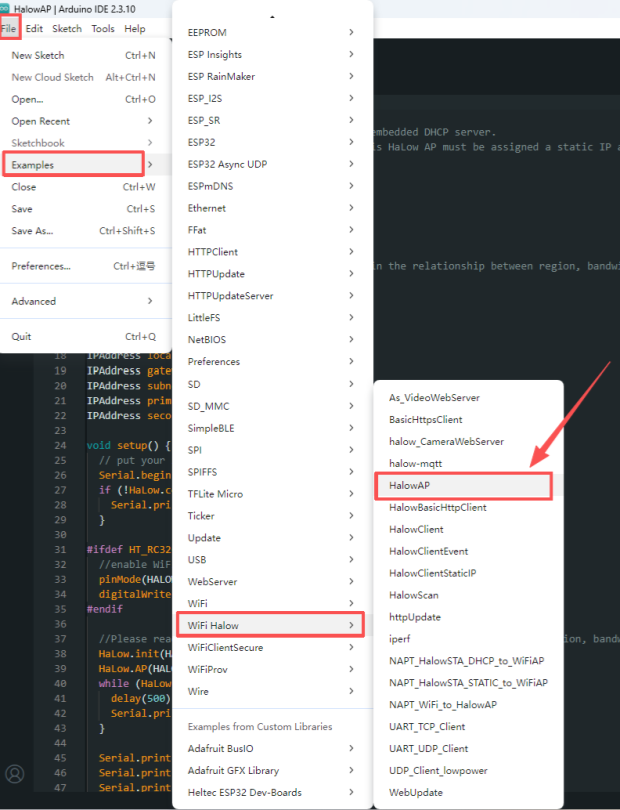
AP Device
Select and upload the HaLowAP example code.
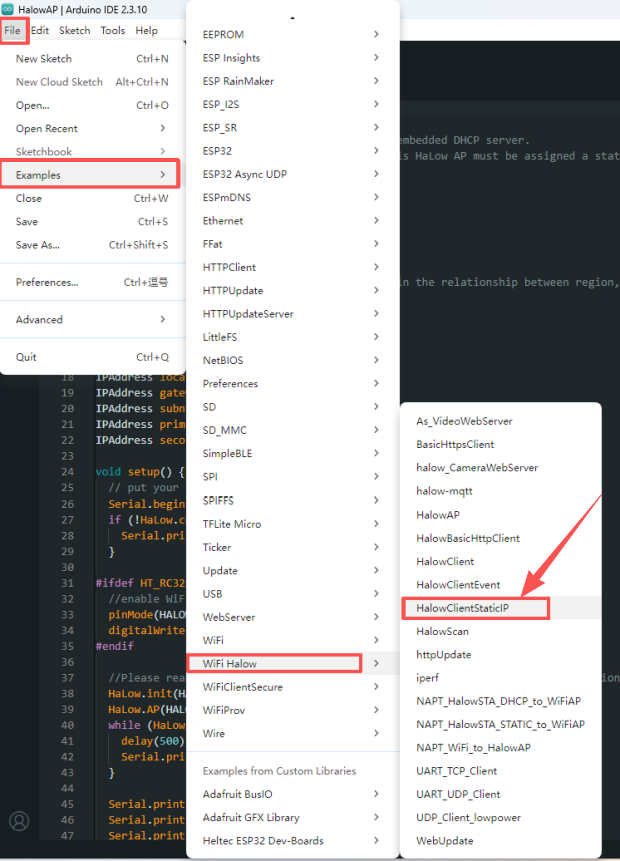
Client Device
Select and upload the HaLowClientStaticIP example code.
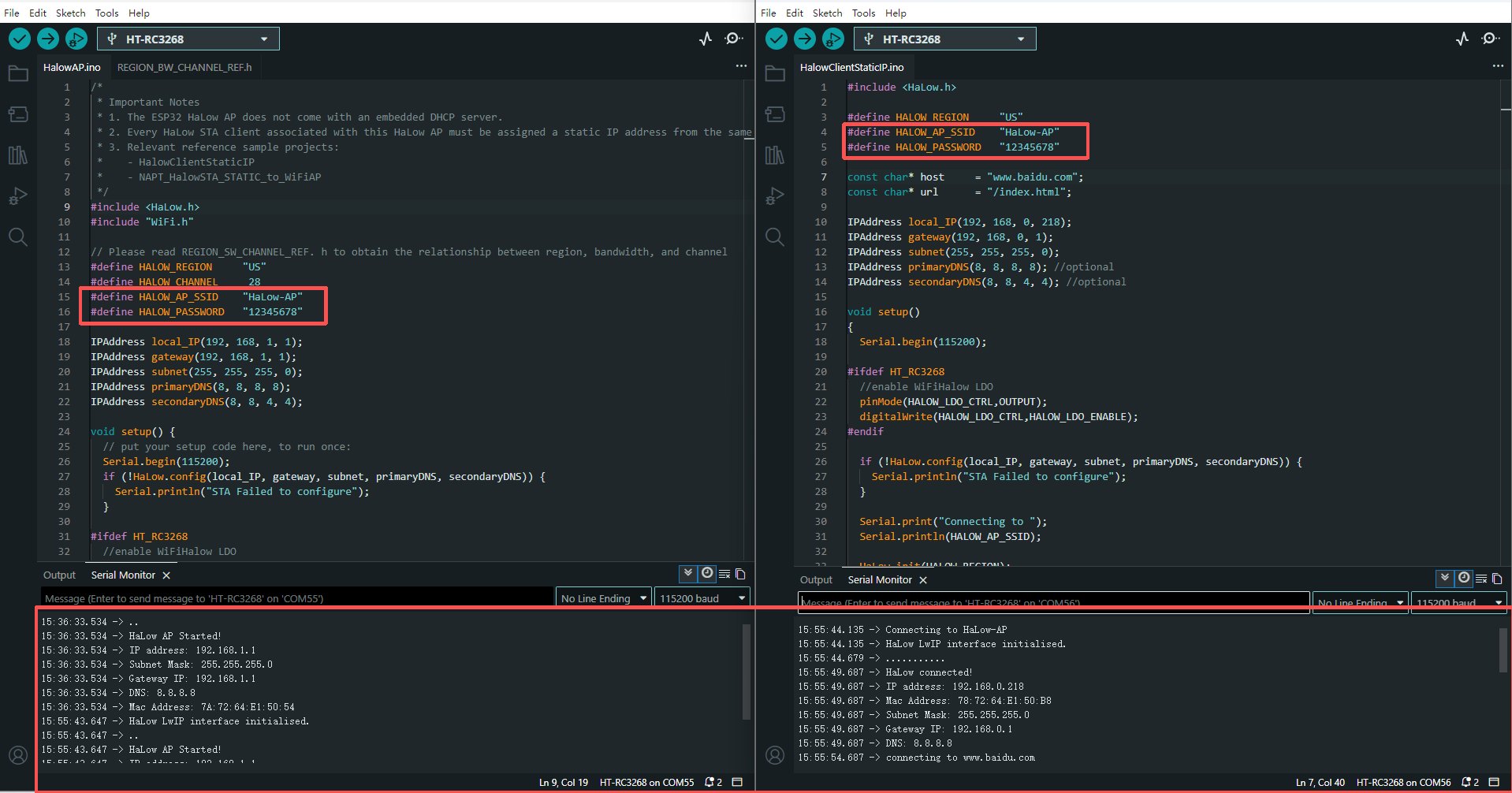
Make sure the HaLow AP SSID and Password configured in the Cilent example match the settings in the AP example.
After uploading the corresponding firmware, the two RC3268 devices can establish a HaLow connection. The successful connection can be verified through the serial monitor.
WiFi and HaLow Network Communication
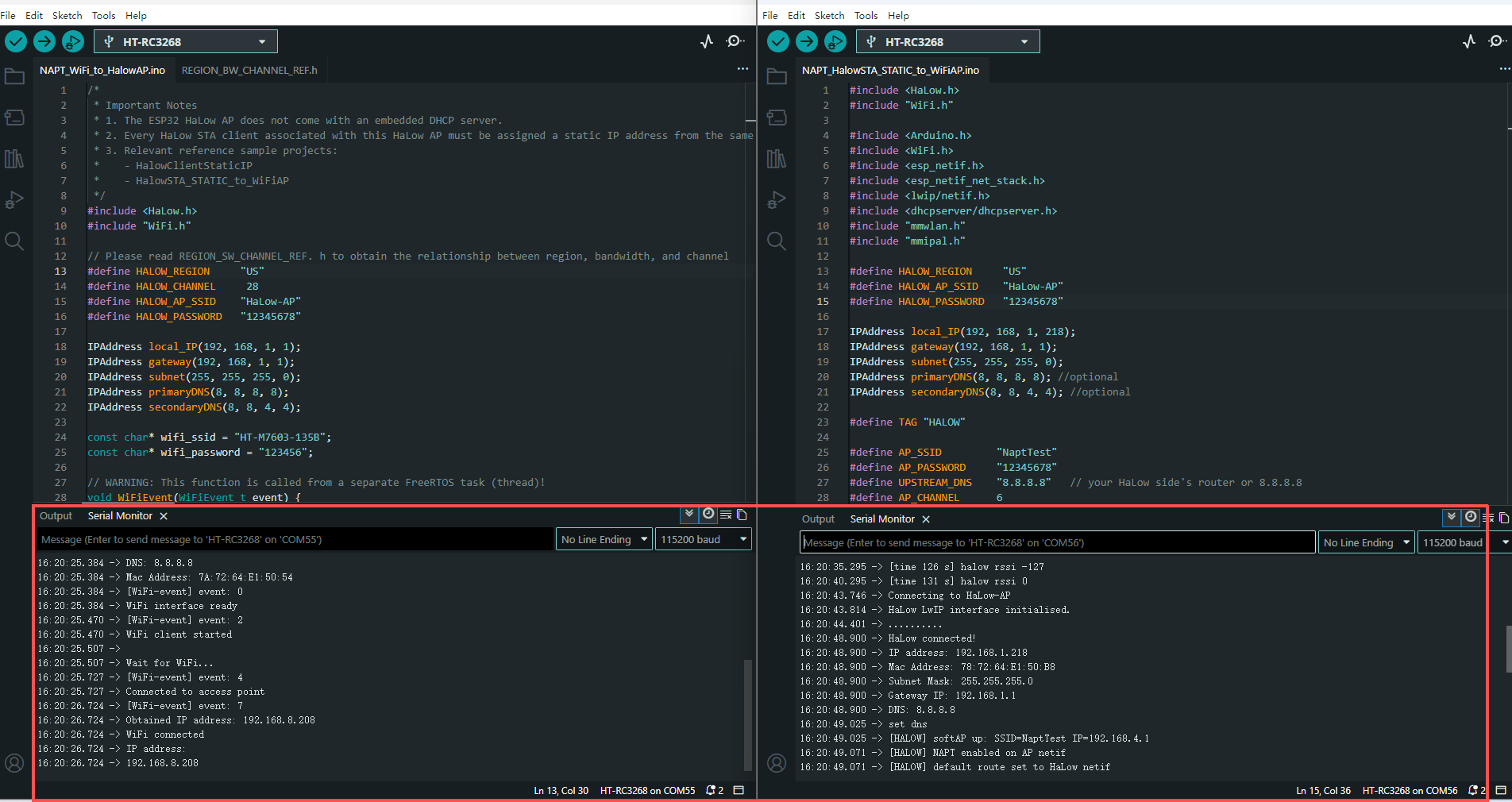
If you need to use WiFi as the upstream network while extending communication through HaLow, use the NAT-based examples.
AP Device
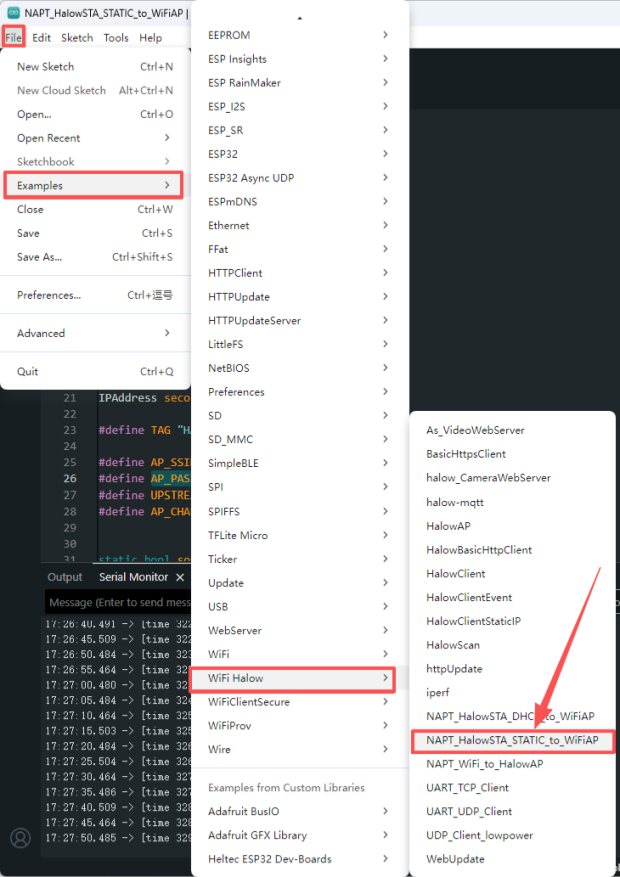
1.Select and upload the NAPT_WiFi_to_HaLowAP example code.
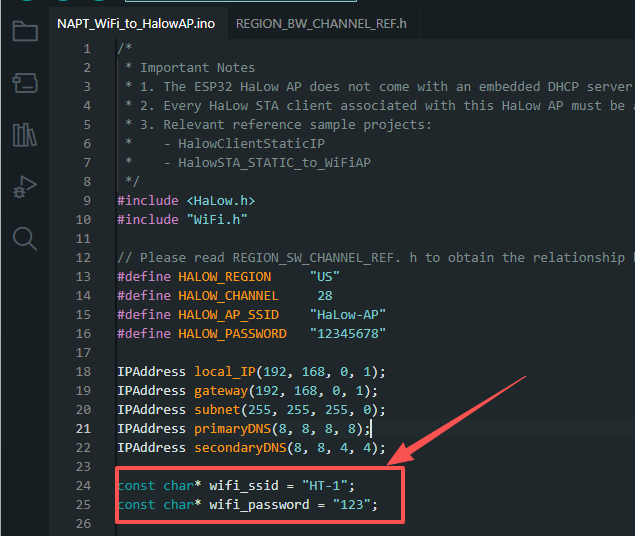
2.Configure the WiFi SSID and Password in the example according to the available WiFi network. In this mode, the device connects to an external WiFi network and forwards network traffic through the HaLow AP.
Client Device
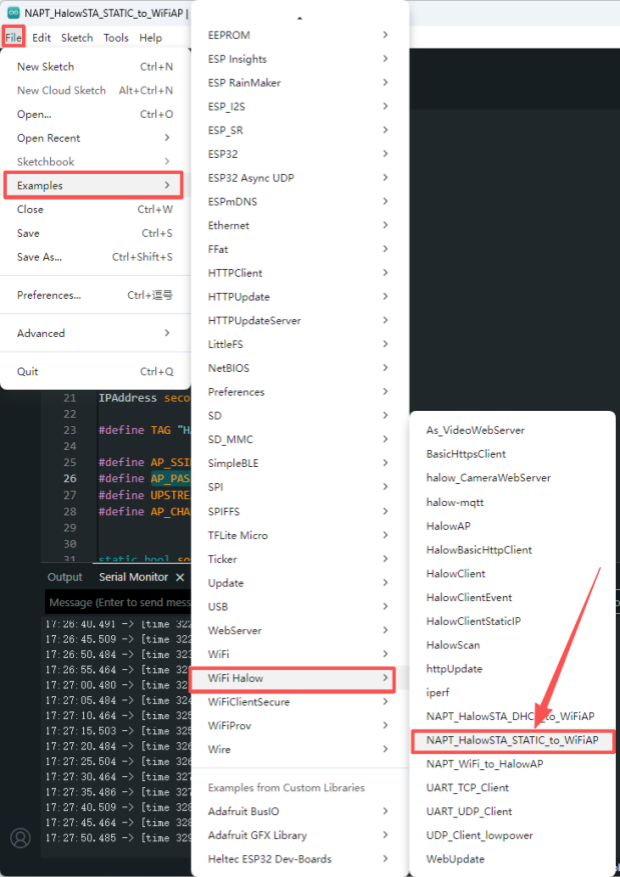
1.Select and upload the NAPT_HaLowSTA_STATIC_to_WiFiAP example code.
2.Configure the following parameters:
- HALOW_AP_SSID and Password: Must match the values of
HALOW_AP_SSIDandHALOW_PASSWORDdefined in theNAPT_WiFi_to_HaLowAPexample code. - AP_SSID and Password: Can be customized. This creates the WiFi network that downstream devices can connect to.
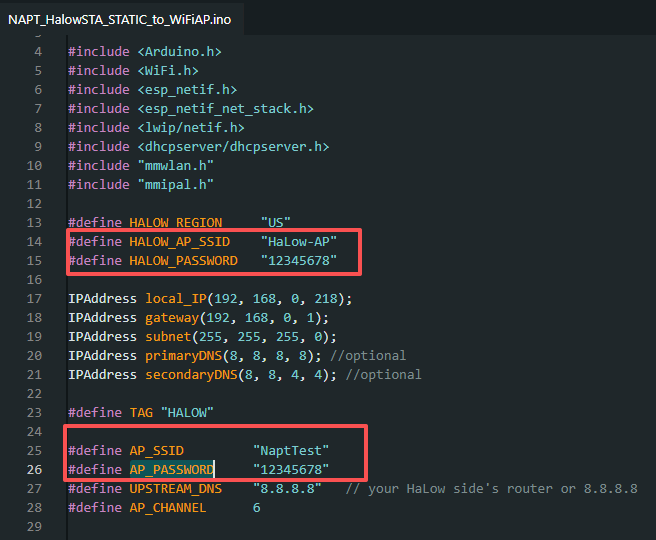
For IP-based communication, the HaLow AP and Client devices must be configured within the same subnet. The example code has already been configured with IP addresses in the same subnet, and it is recommended not to modify these settings unless required.
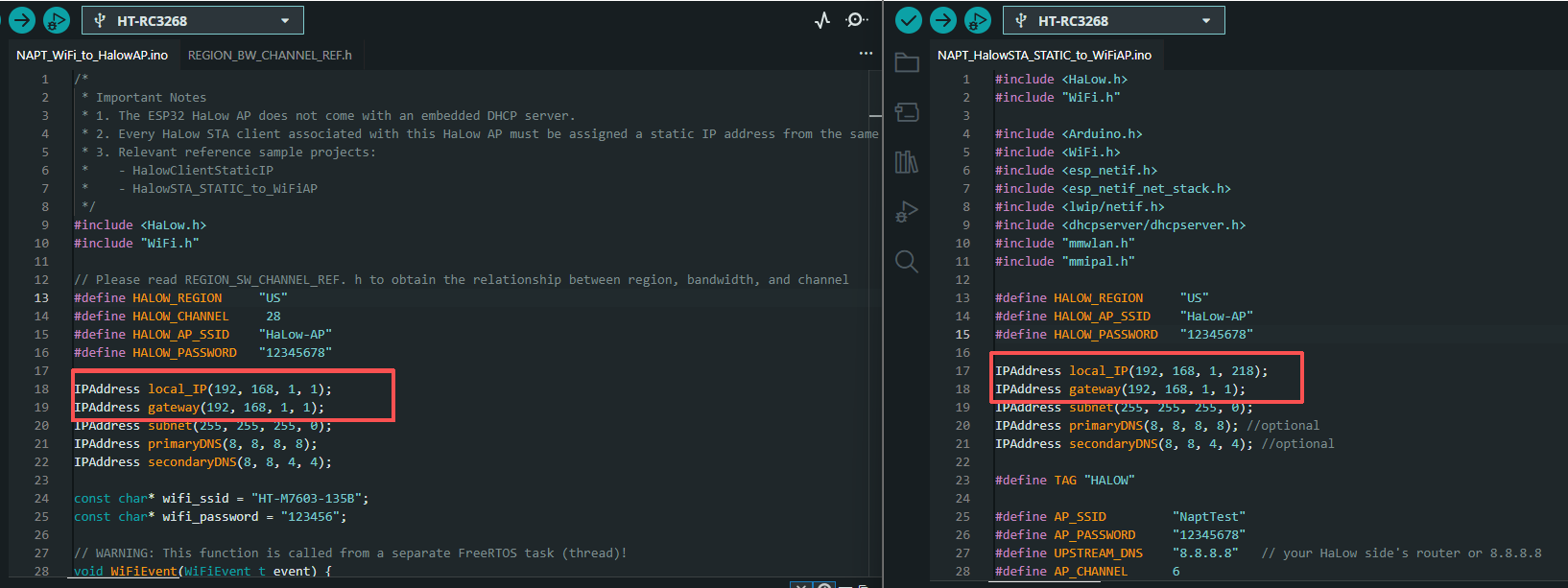
3.After configuring the required parameters and uploading the corresponding firmware, the RC3268 devices can establish both HaLow and WiFi connections. The successful connection can be verified through the serial monitor.