Meshtastic Quick Start
Charging
tip
When using the device for the first time, the battery may be low. It is recommended to charge the device using a 5V USB power supply to ensure proper startup and stable operation.
Power Button Operations
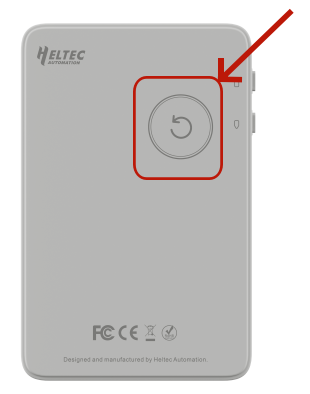
- Power On/Off: Press and hold the power button to turn the device on or off.
- Restart the Device: Press the power button once briefly to restart the device.
- DFU Mode: Double-press the Power Button to enter DFU mode.
Button Instructions
-
Button 1
- Short press: Select the next option or wake up the display.
- Long press: Confirm and select the current option.
-
Button 2
- Short press: Select the previous option or wake up the display.
- Long press: Directly enter the Long Fast interface.
Flash Firmware
1.Double-click the Power Button on the back of the device to enter DFU mode.
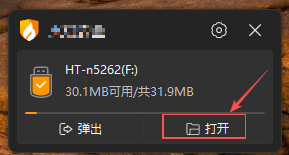
2.Copy the downloaded Firmware file to the device storage that appears in DFU mode.
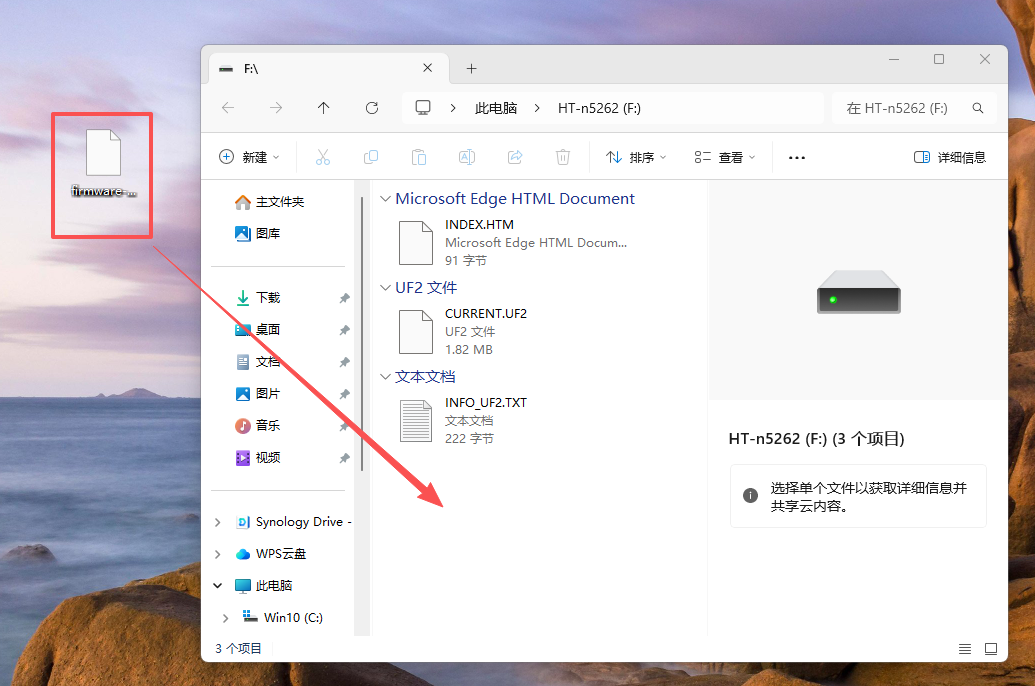
3.After the file transfer is completed, the device will automatically start and complete the firmware flashing process.