Quick Start
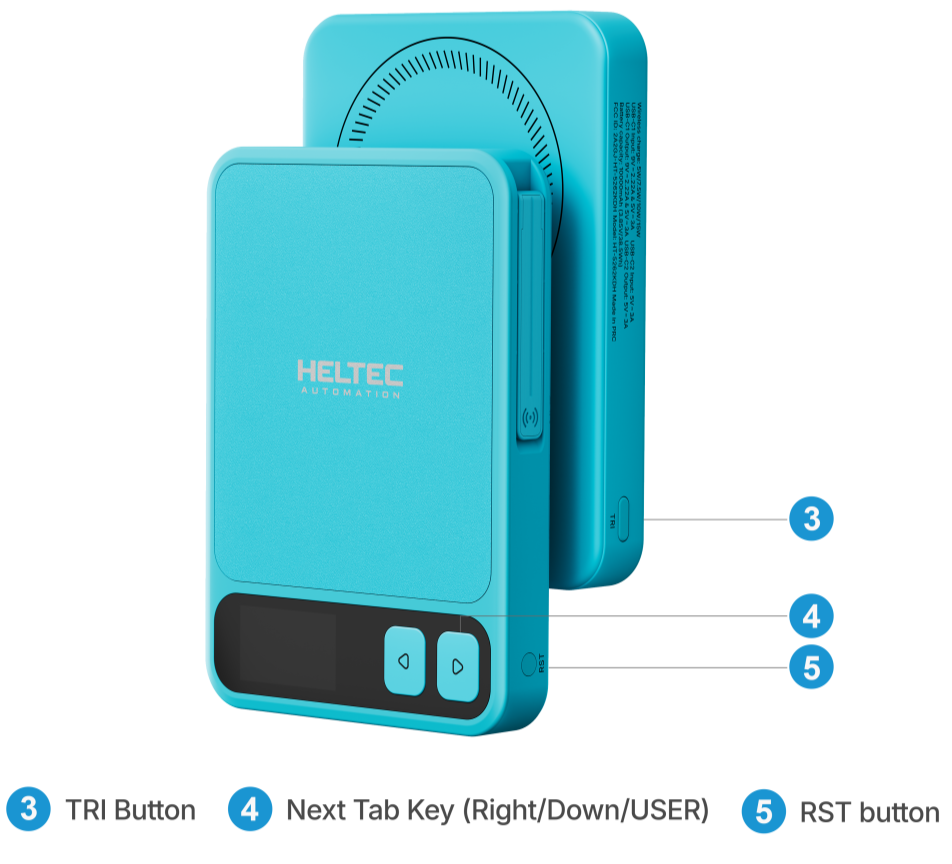
Button Description
| Button | Operation | Description |
|---|---|---|
| TRI | Single click | Turns on wireless charging |
| TRI | Double click | Turns off wireless charging |
| TRI | Long press | Turns off both wireless and wired charging |
| RST | Single click | Resets / wakes up Meshtastic |
| RST | Double click | Enters bootloader mode |
Charging
We recommend fully discharging the MeshPocket V2 before its first use, then recharging it to 100%.
The device supports magnetic wireless charging and wired charging via USB-C ports, allowing up to three mobile phones to be charged simultaneously. One phone can be charged via magnetic wireless charging, while the other two can be charged through the two USB-C ports, respectively.
Magnetic Wireless Charging
This device supports magnetic wireless charging with automatic phone detection. Simply attach a compatible phone to the designated wireless charging area on the power bank to start charging.
1.First-Time Use
Attach your phone to the wireless charging area, then press the TRI Button once to enable wireless charging. Once enabled, the device will automatically detect and initiate wireless charging whenever a compatible phone is attached.
2.When a USB-C Device Is Already Connected
If another device is already connected through a USB-C port, attaching a phone to the wireless charging area may not trigger automatic detection, even if wireless charging has already been enabled. In this case, press the TRI Button once again. After this, the device will automatically detect and initiate wireless charging whenever the phone is detached and reattached.
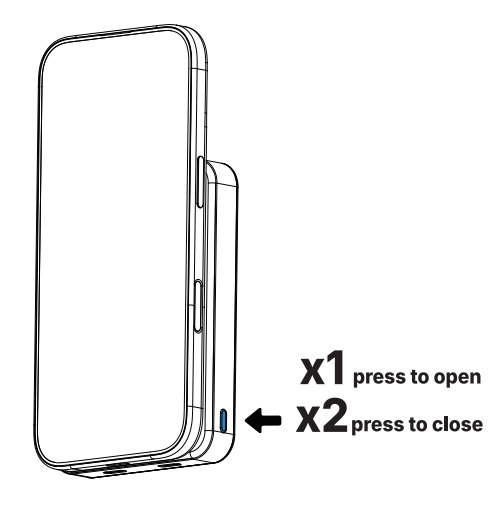
The wireless charger supports MPP, EPP, Samsung 10W, Apple 7.5W, and BPP protocols. Please ensure your phone supports the wireless fast charging protocol.
USB-C Discharging for External Devices
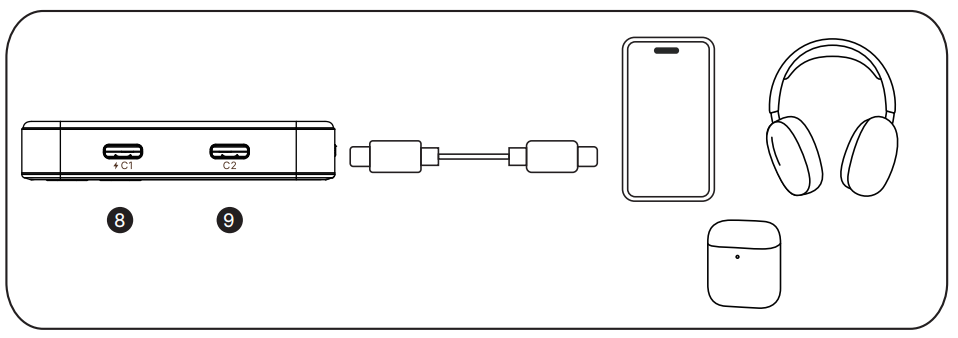
Connect an external device to the MeshPocket V2 using a USB-C cable to charge it. Press and hold the TRI button to turn off both wired and wireless charging outputs.
USB-C Power Input
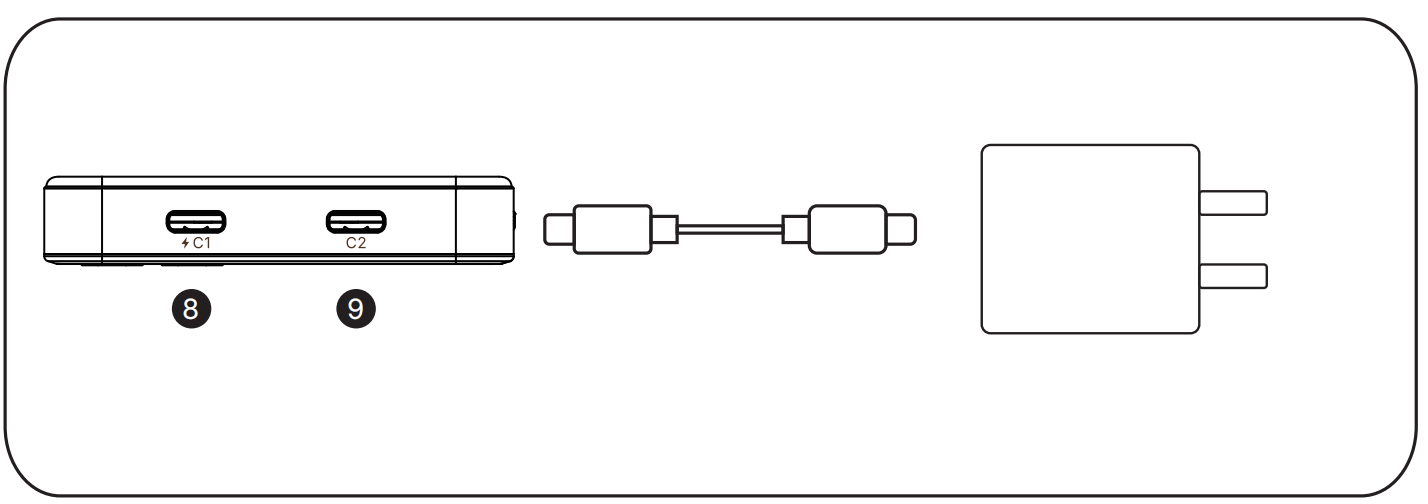
Connect one end of the USB-C cable to the USB-C port on the MeshPocket V2 and the other end to an external charger to charge the device. The screen will automatically turn on once the power supply is connected.
Battery Level Description
- When the MeshPocket V2 battery level drops below 5%, the device stops supplying power to external devices but continues to power the RF system.
- When the MeshPocket V2 is supplying power to external devices, the low-battery protection mechanism may be triggered earlier. When the battery level drops to approximately 10%–20%, the device may automatically disable both wired and wireless charging outputs to reserve power for its own operation.
For detailed instructions on using Meshtastic, please refer to the Meshtastic Quick Start.