RS-CP01 Quick Start
Before getting started, refer to this document to complete the development environment setup.
The RC3268 Expansion Kit Quick integrates a camera, allowing users to view real-time video through a Web interface.
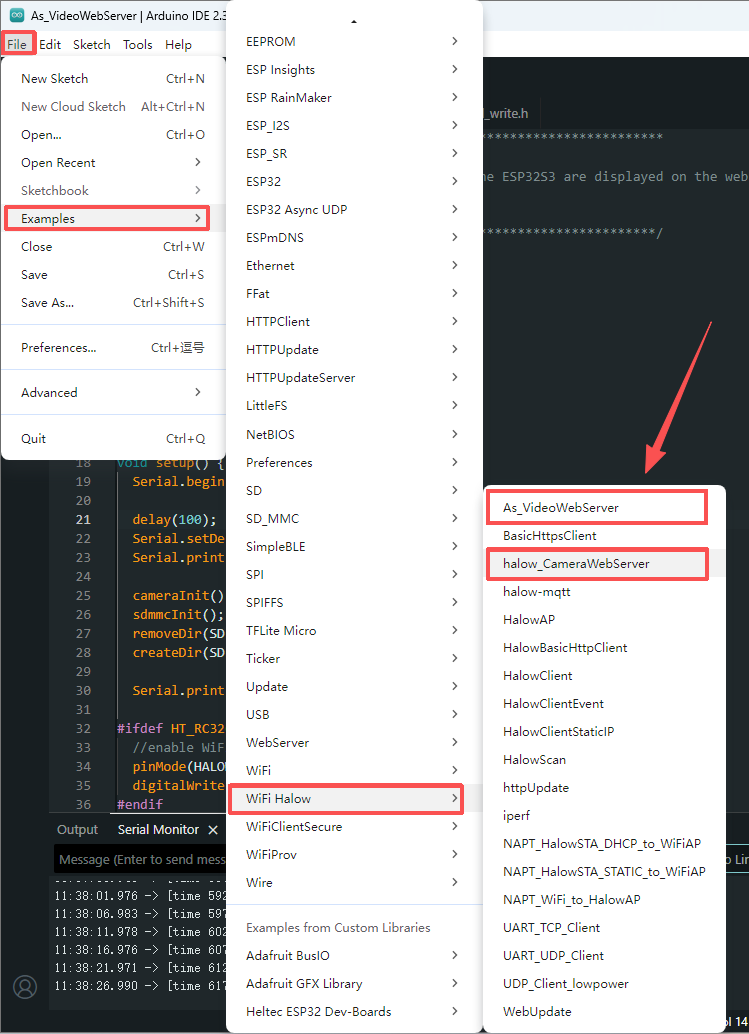
1.Run the Camera Web Server Example
Open and one of the following example codes: As_VideoWebServer or halow_CameraWebServer
2.Configure the HaLow AP Connection
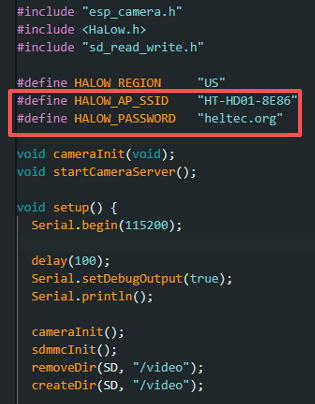
In the example code, modify the HALOW_AP_SSID and related network parameters according to the actual HaLow AP device you are using.
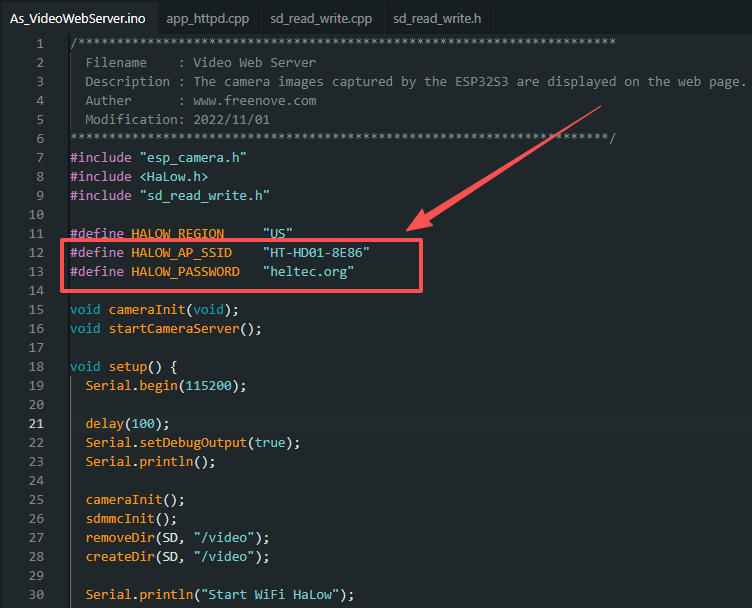
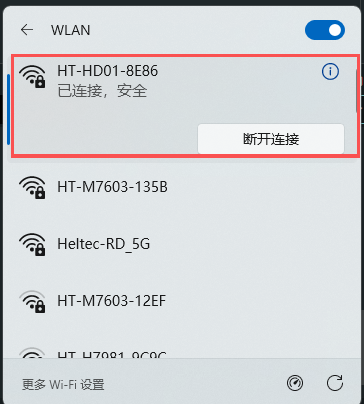
To use the camera function, the camera expansion box must connect to a HaLow AP with network bridging capability, such as the HT-HD01 Dongle or HT-H7608 WiFi HaLow Gateway. The RC3268 expansion kit works as a HaLow Client. Direct connection to the RC3268 HaLow AP Mode is not supported because it does not provide the required network bridging function.
3.Network Requirements
Make sure the RC3268 expansion kit and your computer are connected to the same local network and subnet to access the camera webpage.
4.Check the Camera IP Address
After completing all configurations and uploading the code, the camera webpage address will be displayed in the serial monitor.
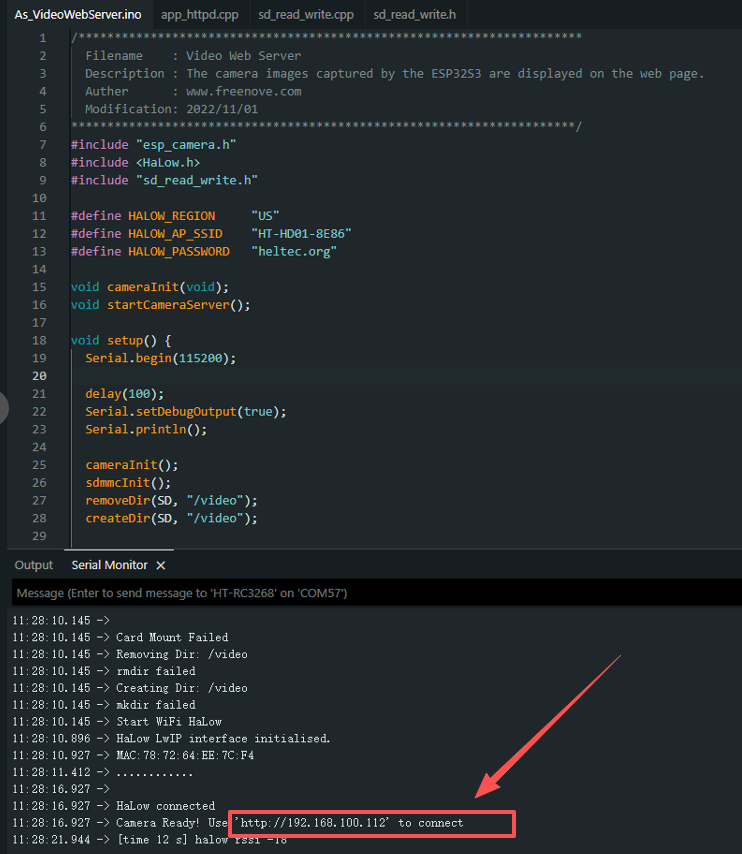
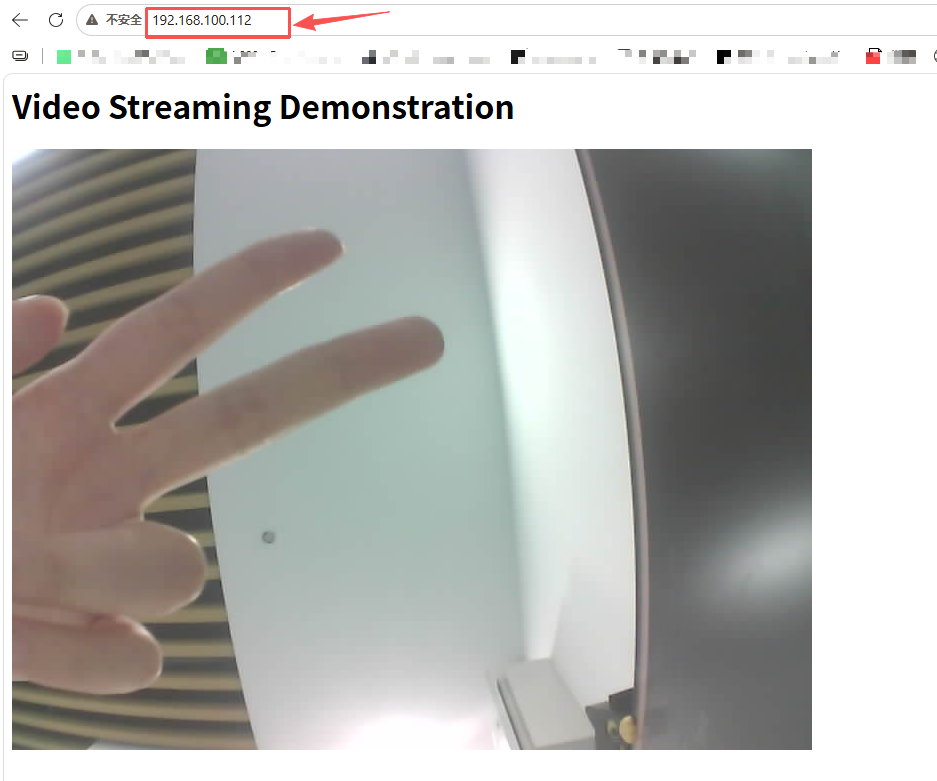
Open the IP address in a browser to view the live video stream.
The current version of the camera expansion box does not include an SD card interface. Therefore, video recording and SD card storage functions are not supported at this time.