WiFi LoRa 32 Expansion Kit
The WiFi LoRa 32 Expansion Kit is a comprehensive set specifically designed for the WiFi LoRa 32 series, including protective cases, expansion carrier boards, sensor modules, and more. You can view 3D models and customize product parameters on the MQB platform to assemble a kit that meets your needs.

Button & Touch Instructions

The operation of the physical buttons is the same across all versions.

1. Physical Buttons

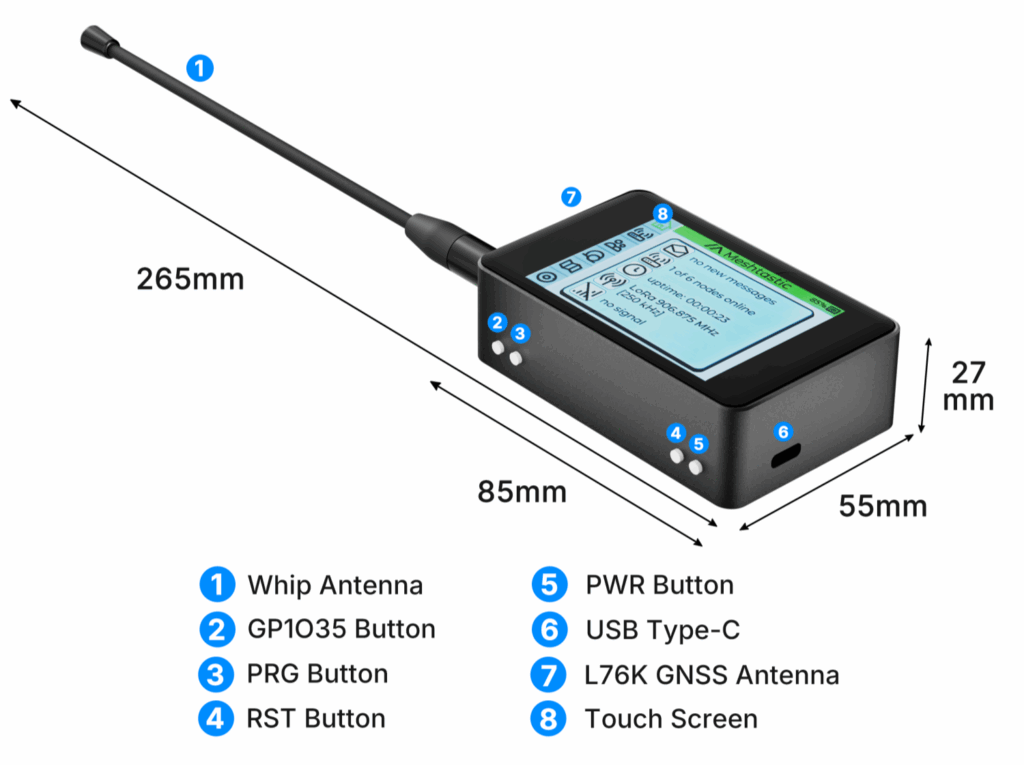
  • USER Button

    • Single press: Next / Forward
    • Long press: Confirm / Enter
  • GPIO35 Button

    • Single press: Back / Return
    • Long press: Exit
  • PWR Button: Power switch

  • RST Button: Reset

2. WiFi LoRa 32 Expansion Kit Touchscreen Operations

  • Tap on the screen: Next / Forward (same as USER key)
  • Long press on the screen: Confirm / Enter

The glass-panel version does not support touch input and relies entirely on physical buttons.

Button (No Touchscreen) Instructions

  • USER Button

    • Single press: Next / Forward
    • Long press: Confirm / Enter
  • RST Button: Reset

  • GPIO35 Button: In the Meshtastic no-touchscreen firmware, GPIO35 Button is not supported and will not take effect.

  • PWR Button: Press and hold for 3 seconds to power the device on or off.

note

Please note that after powering on, the device may take 3–5 seconds to complete the startup process. During this time, continue holding the POWER button until the LED indicator illuminates, indicating that the device has successfully started.


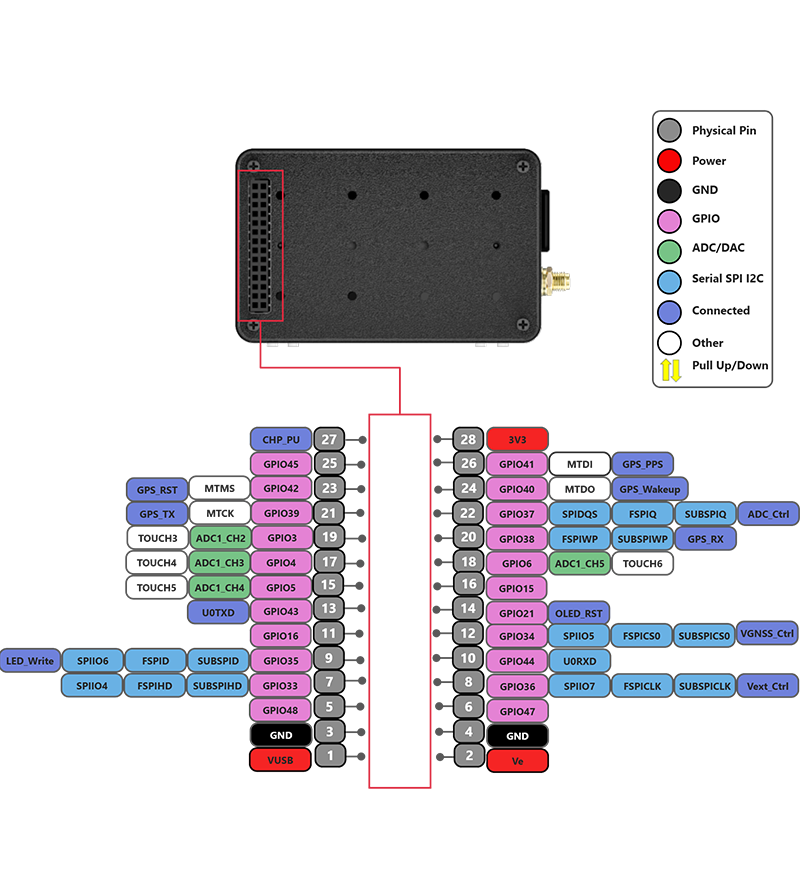
PinMap

Important Resources

warning

Devices with and without a touchscreen use different firmware versions. Firmware for touchscreen-enabled devices is identified by the tft tag in the filename. Please select the firmware that matches your hardware configuration.

Product Usage Guide

The following documentation will help you get started quickly with the product