WiFi LoRa 32 Expansion kit Quick Start
Installing the Battery
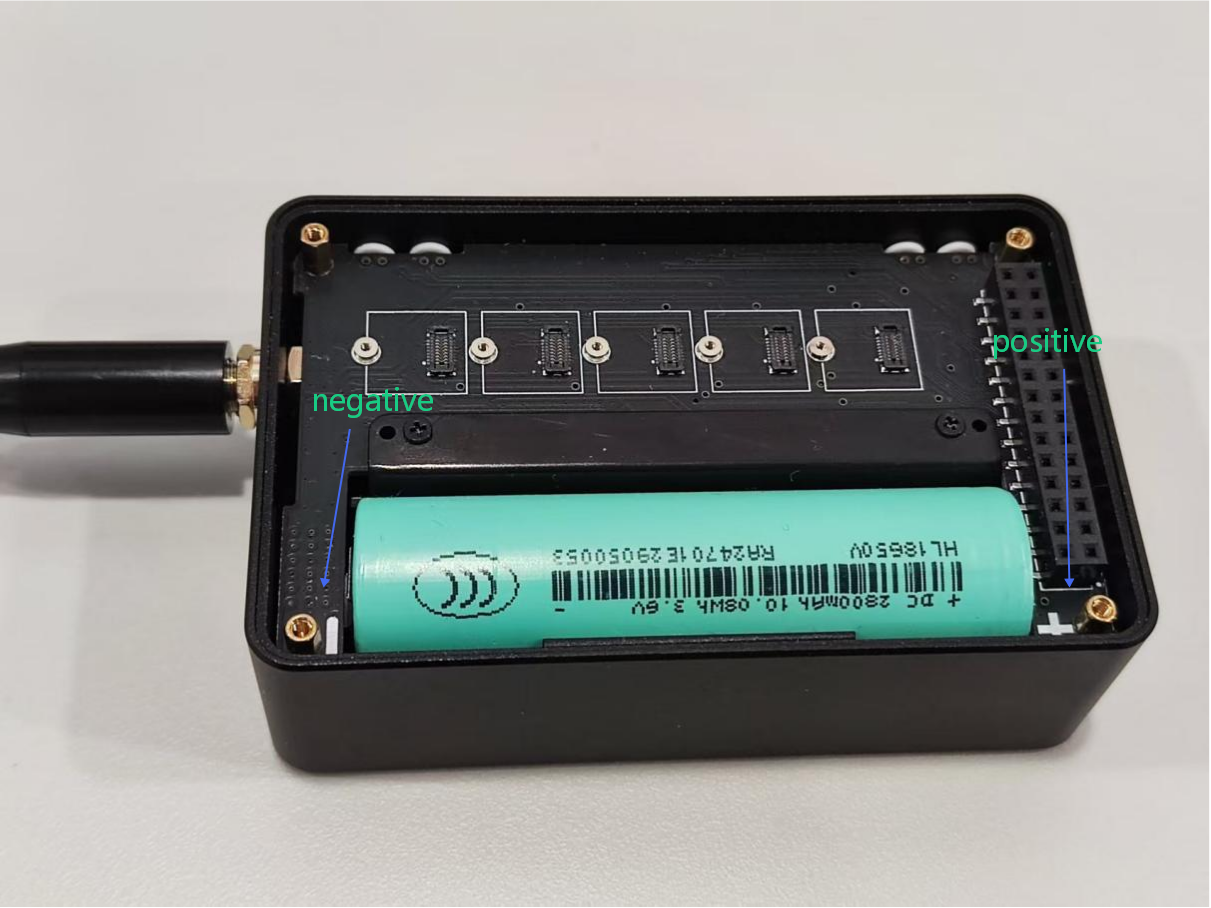
After removing the casing, you can install the battery. Battery type: 18650 flat-top lithium battery. Be careful not to reverse the positive and negative terminals.
Power On/Off
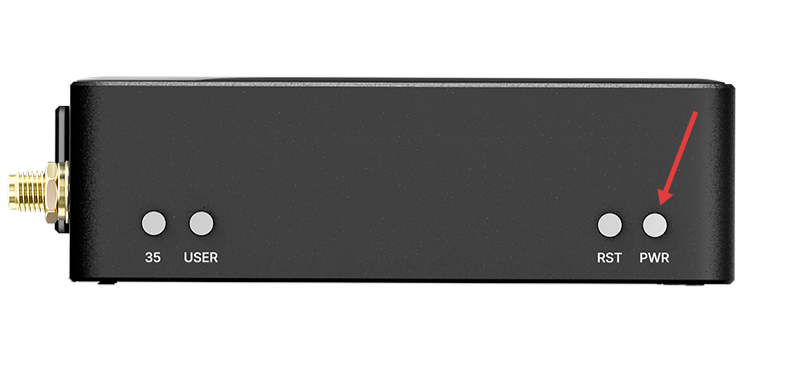
Press and hold the Power button for 3 seconds to turn the device on or off.
Charging
You can power or charge the device via the USB-C port. The applicable voltage is 5V.
Programming & Firmware Flashing
- Connect the device to your computer via USB-C.
- Enter BootLoader mode: Press and hold the USER button, press RST once, then release the USER button.
- Select the serial port to flash your code. After flashing is complete, press RST to restart.
note
- We recommend using the Flash Download Tool to flash the firmware.
- After entering Boot mode, the serial port number may change, so remember to reselect the Port.
warning
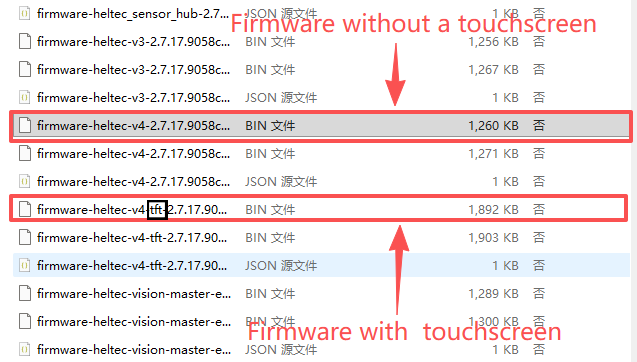
Devices with and without a touchscreen use different firmware versions. Firmware for touchscreen-enabled devices is identified by the tft tag in the filename. Please select the firmware that matches your hardware configuration.
SDK
Please refer to the: Heltec ESP32 Series Quick Start.